Yep, we may get a tiny thank-you (read: commission) when you buy through
links on Soundfindr — not enough for a yacht, but enough to keep the lights (and
servers) on.
Learn more
25
Highlights
45
Differences
10
Reactions
0
Likes
Tribit FlyBuds C2
vs
Tribit FlyBuds C1:
25 Highlights & 45 Differences —
So, Which Earbud Actually Works Better
The C2 excels in sound quality. The C1 prioritizes comfort and budget-friendly features.
From iso compliance, included accessories, warranty period & wearing style to hands-on reviews, we broke down what makes Tribit FlyBuds C2 different from Tribit FlyBuds C1 in this side-by-side earbuds comparison.
Tribit FlyBuds C2 vs FlyBuds C1: Which Earbuds Pack The Better Punch?
When diving into the world of true wireless earbuds, the Tribit FlyBuds C2 and FlyBuds C1 offer a compelling matchup that balances features, comfort, and price. Both models cater to music lovers and people who take calls, featuring solid Bluetooth 5.2 connectivity and robust protection against moisture, backed by durable plastic construction and a case hinge rated for 5000 cycles. However, key differences in sound drivers, battery life, fit customization, and included accessories highlight distinct priorities for each device. Whether you value enhanced audio drivers and faster charging or crave superior fit options and longer warranty coverage, these earbuds serve different listening lifestyles.
Tribit FlyBuds C2: Compact Powerhouse with a Focus on Audio
The FlyBuds C2 shines brightest for users who prioritize authentic audio quality and convenience. Its 13mm drivers outmatch the smaller 6mm drivers in the FlyBuds C1, promising fuller sound with a wider frequency range up to 48,000 Hz. The earbuds themselves tip the scales at an impressively light 0.009g per earbud and have a pocket-friendly 0.9-inch width and depth, making them excellent for on-the-go use.
When it comes to calls, the FlyBuds C2 uses advanced AI noise filter technology, supported by 4 microphones, to ensure clear voice capture. The quick charge feature is another highlight here, offering up to 1.5 hours of playback after a short recharge, faster than the FlyBuds C1's 1-hour quick charge playback. Battery life is complemented by a 400 mAh charging case that's compact but efficient. They also cater to users interacting with voice assistants by supporting both Siri and Google Assistant.
Comfort-wise, although the FlyBuds C2 lacks adjustable fit and specific ear tip size options, it does include pressure relief vents, helping reduce ear fatigue during longer listening sessions. Plus, smart touches like auto power-off and handy battery indicators enhance the user experience.
FlyBuds C1: The Budget-Friendly, Customizable Fit Contender
On the flip side, the FlyBuds C1 nails the balance between affordability and user convenience. While sporting smaller 6mm drivers with a standard frequency response capped at 20,000 Hz, this model still delivers satisfying sound quality for everyday tunes and calls, supported by the slightly easier-to-drive low 16-ohm impedance.
What truly distinguishes the C1 is its customizable comfort. The earbuds feature an adjustable fit design supported by a selection of small, medium, and large ear tips, allowing users to tailor the seal to their ear canal shape for a secure, comfortable wearing experience; ideal for sports and extended use. This makes a clear difference in both auditory isolation and stability during movement.
The FlyBuds C1 comes with a larger 500 mAh charging case that contributes to a longer combined battery life, plus an 18-month warranty versus C2's 12 months, offering greater peace of mind over time. Despite the slower quick charge playback at 1 hour, the overall endurance appeals to users who want longer sessions between recharges.
In terms of smart features, FlyBuds C1 supports a wider array of voice assistants including Alexa alongside Siri and Google Assistant. Also, it includes more comprehensive accessories ; a charging cable, ear tips, a manual, and a carry pouch ; adding great value for the price point.
Quick Take
The Tribit FlyBuds C2 impresses with power-packed 13mm drivers, lightweight portability, and speedy charging, making it perfect for audiophiles and daily commuters who prioritize premium sound. Meanwhile, the FlyBuds C1 caters well to budget-conscious users seeking a fully customizable fit, longer battery life per charge cycle, and broad voice assistant compatibility.
Bottom Line
In conclusion, if you want crisp, rich audio with a quick recharge for an on-the-go lifestyle, the Tribit FlyBuds C2 is worth the higher price tag. However, if you prefer flexibility in fit, extended battery, and a more affordable package with Alexa integration, the FlyBuds C1 remains a compelling choice.
Verdict
Winner: Tribit FlyBuds C2 ; for its superior audio drivers, lightweight design, and faster quick charge performance.
Runner-up: Tribit FlyBuds C1 ; an excellent budget option offering adjustable fit, longer battery capacity, and broad voice assistant support.
Check prices in other stores, maybe you'll find a cheaper Tribit FlyBuds C1
(✱) Prices may be changed at any time without further notice.
Comparisons & Facts
183
Side by side. The numbers. The features. No drama.
Is Tribit FlyBuds C2 better than Tribit FlyBuds C1? Depends on your playstyle. This deep earbuds breakdown includes specs, feel, tone quality, and what musicians think.
In the battle of Wearing Style,
Tribit FlyBuds C2 ◉ is
same as
Tribit FlyBuds C1 ◉
.
Don’t keep it to yourself — be the first to react and review the
Wearing Style on Tribit FlyBuds C2 ◉
vs Tribit FlyBuds C1 ◉ and help others decide!
True Wireless Design
Is it a true wireless design?
Yes
0Votes
Tribit FlyBuds C2
Yes
0Votes
Tribit FlyBuds C1
Tribit FlyBuds C2
The design is True Wireless, meaning each earbud functions without any cable between left and right pieces for a fully untethered experience.
True wireless earbuds typically offer improved portability and freedom of movement compared with wired or single-cable alternatives.
Tribit FlyBuds C1
The earbuds feature a true wireless design, promoting completely wire-free usage.
Indicates if both earbuds function without physical wires.
In the battle of True Wireless Design,
Tribit FlyBuds C2 ◉ is
same as
Tribit FlyBuds C1 ◉
.
Don’t keep it to yourself — be the first to react and review the
True Wireless Design on Tribit FlyBuds C2 ◉
vs Tribit FlyBuds C1 ◉ and help others decide!
Intended use covers music listening, calls, sports activities, and travel, indicating versatile functionality.
Specifies typical user applications.
In the battle of Intended Use,
Tribit FlyBuds C2 ◉ is
same as
Tribit FlyBuds C1 ◉
.
Don’t keep it to yourself — be the first to react and review the
Intended Use on Tribit FlyBuds C2 ◉
vs Tribit FlyBuds C1 ◉ and help others decide!
Product Type
What is the product type?
0
Tribit FlyBuds C2
0Votes
True Wireless
0
Tribit FlyBuds C1
0Votes
True Wireless
Defines the general type or configuration of the earbuds.
In the battle of Product Type,
Tribit FlyBuds C2 ◉ is
same as
Tribit FlyBuds C1 ◉
.
Don’t keep it to yourself — be the first to react and review the
Product Type on Tribit FlyBuds C2 ◉
vs Tribit FlyBuds C1 ◉ and help others decide!
Model Name
What is the model name?
0
Tribit FlyBuds C2
0Votes
Tribit FlyBuds C2
0
Tribit FlyBuds C1
0Votes
Tribit FlyBuds C1
Indicates the model identifier for differentiation.
In the battle of Model Name,
Tribit FlyBuds C2 ◉ is
same as
Tribit FlyBuds C1 ◉
.
Don’t keep it to yourself — be the first to react and review the
Model Name on Tribit FlyBuds C2 ◉
vs Tribit FlyBuds C1 ◉ and help others decide!
Release Year
What year were the earbuds released?
0
Tribit FlyBuds C2
0Votes
2023
0
Tribit FlyBuds C1
0Votes
2021
Indicates when the earbuds were released to the market.
In the battle of Release Year,
Tribit FlyBuds C2 ◉ is
same as
Tribit FlyBuds C1 ◉
.
Don’t keep it to yourself — be the first to react and review the
Release Year on Tribit FlyBuds C2 ◉
vs Tribit FlyBuds C1 ◉ and help others decide!
Color Options
What color options are offered?
0
Tribit FlyBuds C2
0Votes
Black
0
Tribit FlyBuds C1
0Votes
Black
Lists the available color variants of the earbuds.
In the battle of Color Options,
Tribit FlyBuds C2 ◉ is
same as
Tribit FlyBuds C1 ◉
.
Don’t keep it to yourself — be the first to react and review the
Color Options on Tribit FlyBuds C2 ◉
vs Tribit FlyBuds C1 ◉ and help others decide!
Manufacturing Origin
What is the manufacturing origin?
0
Tribit FlyBuds C2
0Votes
China
0
Tribit FlyBuds C1
0Votes
China
Indicates where the product is manufactured.
In the battle of Manufacturing Origin,
Tribit FlyBuds C2 ◉ is
same as
Tribit FlyBuds C1 ◉
.
Don’t keep it to yourself — be the first to react and review the
Manufacturing Origin on Tribit FlyBuds C2 ◉
vs Tribit FlyBuds C1 ◉ and help others decide!
Form Factor
What is the form factor?
0
Tribit FlyBuds C2
0Votes
Semi-open
0
Tribit FlyBuds C1
0Votes
In-ear
Defines the physical structure of the earbuds.
In the battle of Form Factor,
Tribit FlyBuds C2 ◉ is
same as
Tribit FlyBuds C1 ◉
.
Don’t keep it to yourself — be the first to react and review the
Form Factor on Tribit FlyBuds C2 ◉
vs Tribit FlyBuds C1 ◉ and help others decide!
Compatibility
What devices are compatible?
0
Tribit FlyBuds C2
0Votes
Android, iOS, Windows, Mac
0
Tribit FlyBuds C1
0Votes
Android, iOS
Defines compatible device ecosystems.
In the battle of Compatibility,
Tribit FlyBuds C2 ◉ is
same as
Tribit FlyBuds C1 ◉
.
Don’t keep it to yourself — be the first to react and review the
Compatibility on Tribit FlyBuds C2 ◉
vs Tribit FlyBuds C1 ◉ and help others decide!
Connectivity Type
What is the connectivity type?
0
Tribit FlyBuds C2
0Votes
True Wireless
0
Tribit FlyBuds C1
0Votes
True Wireless
Identifies the main connection design.
In the battle of Connectivity Type,
Tribit FlyBuds C2 ◉ is
same as
Tribit FlyBuds C1 ◉
.
Don’t keep it to yourself — be the first to react and review the
Connectivity Type on Tribit FlyBuds C2 ◉
vs Tribit FlyBuds C1 ◉ and help others decide!
Control Type
What type of controls does it use?
0
Tribit FlyBuds C2
0Votes
Touch
0
Tribit FlyBuds C1
0Votes
Button
Specifies how users interact with playback and calls.
In the battle of Control Type,
Tribit FlyBuds C2 ◉ is
same as
Tribit FlyBuds C1 ◉
.
Don’t keep it to yourself — be the first to react and review the
Control Type on Tribit FlyBuds C2 ◉
vs Tribit FlyBuds C1 ◉ and help others decide!
App Support
Does it have app support?
No
0Votes
Tribit FlyBuds C2
No
0Votes
Tribit FlyBuds C1
Shows whether the earbuds are supported by a dedicated companion app.
In the battle of App Support,
Tribit FlyBuds C2 ◉ is
same as
Tribit FlyBuds C1 ◉
.
Don’t keep it to yourself — be the first to react and review the
App Support on Tribit FlyBuds C2 ◉
vs Tribit FlyBuds C1 ◉ and help others decide!
The specified frequency response is 48000 Hz, which indicates the range of frequencies the earbuds are designed to reproduce and is well above the typical human audible range.
A higher advertised number like 48000 Hz is commonly used to indicate capability for high-sample-rate audio handling rather than a practical extension of audible bandwidth.
Tribit FlyBuds C1
Frequency response reaches up to 20000 Hz, covering the full range of human hearing for high-fidelity audio reproduction.
Represents the range of audible frequencies the earbuds can reproduce.
In the battle of Frequency Response,
Tribit FlyBuds C2 ◉ is
better than
Tribit FlyBuds C1 ◉
, delivering
higher
28,000.0 Hz
measurement.
Don’t keep it to yourself — be the first to react and review the
Frequency Response on Tribit FlyBuds C2 ◉
vs Tribit FlyBuds C1 ◉ and help others decide!
There are 4 microphones in total, which enhances voice capture quality and noise cancellation capabilities.
Total number of microphones across earbuds.
In the battle of Microphone Count,
Tribit FlyBuds C2 ◉ is
same as
Tribit FlyBuds C1 ◉
.
Don’t keep it to yourself — be the first to react and review the
Microphone Count on Tribit FlyBuds C2 ◉
vs Tribit FlyBuds C1 ◉ and help others decide!
Sensitivity
What is the sensitivity?
98
dB
0Votes
95
dB
0Votes
Tribit FlyBuds C2
The sensitivity is 98 dB, meaning the earbuds produce a relatively loud output for a given input level and should be efficient with typical smartphone volumes.
Higher sensitivity like 98 dB can make it easier to drive the earbuds without turning volume to the maximum, but actual perceived loudness also depends on fit and source output.
Tribit FlyBuds C1
Sensitivity is 95 dB, indicating the loudness level the earbuds can produce at a given power level.
Measures how loud the earbuds are for a given power input.
In the battle of Sensitivity,
Tribit FlyBuds C2 ◉ is
better than
Tribit FlyBuds C1 ◉
, delivering
higher
3.0 dB
measurement.
Don’t keep it to yourself — be the first to react and review the
Sensitivity on Tribit FlyBuds C2 ◉
vs Tribit FlyBuds C1 ◉ and help others decide!
Voice Pickup Technology
What voice pickup technology is used?
0
Tribit FlyBuds C2
1Votes
AI Noise Filter
0
Tribit FlyBuds C1
0Votes
Beamforming
Tribit FlyBuds C1
Voice pickup technology uses beamforming, which focuses on sounds from the user's mouth reducing background noise for clearer calls.
Specifies the method used for isolating voice.
In the battle of Voice Pickup Technology,
Tribit FlyBuds C2 ◉ is
same as
Tribit FlyBuds C1 ◉
.
Based on community votes for Voice Pickup Technology,
Tribit FlyBuds C2 ◉ earned
1 votes,
more than
Tribit FlyBuds C1 ◉,
which got 0 votes.
FlyBuds C2 use AI noise filter tech for voice pickup so calls sound clearer which matters a lot when working remotely
See more
Driver Type
What is the driver type?
0
Tribit FlyBuds C2
0Votes
Dynamic
0
Tribit FlyBuds C1
0Votes
Dynamic
Tribit FlyBuds C1
The driver type is dynamic, which typically provides powerful bass and a wide soundstage.
Describes the mechanism that produces sound.
In the battle of Driver Type,
Tribit FlyBuds C2 ◉ is
same as
Tribit FlyBuds C1 ◉
.
Don’t keep it to yourself — be the first to react and review the
Driver Type on Tribit FlyBuds C2 ◉
vs Tribit FlyBuds C1 ◉ and help others decide!
Audio Codec Support
Which codecs are supported?
0
Tribit FlyBuds C2
0Votes
aptX, AAC, SBC
0
Tribit FlyBuds C1
0Votes
AAC, aptX
Tribit FlyBuds C1
Audio codecs supported include AAC and aptX, offering quality sound transmission over Bluetooth with lower latency and higher fidelity.
Defines supported Bluetooth audio codecs.
In the battle of Audio Codec Support,
Tribit FlyBuds C2 ◉ is
same as
Tribit FlyBuds C1 ◉
.
Don’t keep it to yourself — be the first to react and review the
Audio Codec Support on Tribit FlyBuds C2 ◉
vs Tribit FlyBuds C1 ◉ and help others decide!
Soundstage Quality
How would you rate the soundstage?
0
Tribit FlyBuds C2
0Votes
Medium
0
Tribit FlyBuds C1
0Votes
Medium
Tribit FlyBuds C1
Soundstage quality is medium, offering a balanced spatial audio experience that is neither too narrow nor overly expansive.
Defines how spatial or open the sound feels.
In the battle of Soundstage Quality,
Tribit FlyBuds C2 ◉ is
same as
Tribit FlyBuds C1 ◉
.
Don’t keep it to yourself — be the first to react and review the
Soundstage Quality on Tribit FlyBuds C2 ◉
vs Tribit FlyBuds C1 ◉ and help others decide!
Audio Latency
What is the audio latency?
180
ms
0Votes
180
ms
0Votes
Tribit FlyBuds C2
The audio latency is 180 ms, useful to know for video watching and casual gaming where lip-sync matters.
A latency of 180 ms is moderate; competitive gamers may prefer lower-latency options, while typical media consumption remains largely acceptable.
Measures delay between audio signal and playback.
In the battle of Audio Latency,
Tribit FlyBuds C2 ◉ is
same as
Tribit FlyBuds C1 ◉
, delivering
equal
180.00 ms
measurement.
Don’t keep it to yourself — be the first to react and review the
Audio Latency on Tribit FlyBuds C2 ◉
vs Tribit FlyBuds C1 ◉ and help others decide!
Microphone Type
What is the microphone type?
0
Tribit FlyBuds C2
0Votes
MEMS
0
Tribit FlyBuds C1
0Votes
Electret
Tribit FlyBuds C1
Microphone type is electret, which is a common condenser microphone type used for clear audio capture.
Defines microphone technology used for calls.
In the battle of Microphone Type,
Tribit FlyBuds C2 ◉ is
same as
Tribit FlyBuds C1 ◉
.
Don’t keep it to yourself — be the first to react and review the
Microphone Type on Tribit FlyBuds C2 ◉
vs Tribit FlyBuds C1 ◉ and help others decide!
Active Noise Cancellation
Does it have active noise cancellation?
No
0Votes
Tribit FlyBuds C2
No
0Votes
Tribit FlyBuds C1
Reduces ambient noise for immersive listening.
In the battle of Active Noise Cancellation,
Tribit FlyBuds C2 ◉ is
same as
Tribit FlyBuds C1 ◉
.
Don’t keep it to yourself — be the first to react and review the
Active Noise Cancellation on Tribit FlyBuds C2 ◉
vs Tribit FlyBuds C1 ◉ and help others decide!
Noise Reduction Level
What is the noise reduction level?
Who knows?
0Votes
Tribit FlyBuds C2
(Help us out by suggesting one!)
0
dB
0Votes
Indicates the degree of external noise reduction.
Don’t keep it to yourself — be the first to react and review the
Noise Reduction Level on Tribit FlyBuds C2 ◉
vs Tribit FlyBuds C1 ◉ and help others decide!
Transparency Mode
Does it have transparency mode?
No
0Votes
Tribit FlyBuds C2
No
0Votes
Tribit FlyBuds C1
Allows external sounds to pass through for awareness.
In the battle of Transparency Mode,
Tribit FlyBuds C2 ◉ is
same as
Tribit FlyBuds C1 ◉
.
Don’t keep it to yourself — be the first to react and review the
Transparency Mode on Tribit FlyBuds C2 ◉
vs Tribit FlyBuds C1 ◉ and help others decide!
EQ Customization
Does it support EQ customization?
No
0Votes
Tribit FlyBuds C2
No
0Votes
Tribit FlyBuds C1
Indicates support for user-adjustable equalizer.
In the battle of EQ Customization,
Tribit FlyBuds C2 ◉ is
same as
Tribit FlyBuds C1 ◉
.
Don’t keep it to yourself — be the first to react and review the
EQ Customization on Tribit FlyBuds C2 ◉
vs Tribit FlyBuds C1 ◉ and help others decide!
Hi-Res Audio Certified
Is it Hi-Res Audio certified?
No
0Votes
Tribit FlyBuds C2
No
0Votes
Tribit FlyBuds C1
Determines whether the earbuds meet Hi-Res standards.
In the battle of Hi-Res Audio Certified,
Tribit FlyBuds C2 ◉ is
same as
Tribit FlyBuds C1 ◉
.
Don’t keep it to yourself — be the first to react and review the
Hi-Res Audio Certified on Tribit FlyBuds C2 ◉
vs Tribit FlyBuds C1 ◉ and help others decide!
Spatial Audio Support
Does it support spatial audio?
No
0Votes
Tribit FlyBuds C2
No
0Votes
Tribit FlyBuds C1
Enables immersive 3D surround sound.
In the battle of Spatial Audio Support,
Tribit FlyBuds C2 ◉ is
same as
Tribit FlyBuds C1 ◉
.
Don’t keep it to yourself — be the first to react and review the
Spatial Audio Support on Tribit FlyBuds C2 ◉
vs Tribit FlyBuds C1 ◉ and help others decide!
Dual Device Connectivity
Does it support dual-device connectivity?
No
0Votes
Tribit FlyBuds C2
No
0Votes
Tribit FlyBuds C1
Allows connection to two devices simultaneously.
In the battle of Dual Device Connectivity,
Tribit FlyBuds C2 ◉ is
same as
Tribit FlyBuds C1 ◉
.
Don’t keep it to yourself — be the first to react and review the
Dual Device Connectivity on Tribit FlyBuds C2 ◉
vs Tribit FlyBuds C1 ◉ and help others decide!
Who knows?
0Votes
Tribit FlyBuds C1
(Help us out by suggesting one!)
Measures typical power draw during operation or charging.
Don’t keep it to yourself — be the first to react and review the
Power Consumption on Tribit FlyBuds C2 ◉
vs Tribit FlyBuds C1 ◉ and help others decide!
Earbud Battery Life
What is the earbud battery life?
8
hours
0Votes
12
hours
0Votes
Tribit FlyBuds C2
Each earbud provides 8 hours of playback on a single charge under nominal conditions.
Actual runtime may be shorter if you use higher volumes, active features, or low-latency modes, but 8 hours is a solid baseline for daily use.
Tribit FlyBuds C1
Earbud battery life is 12 hours, which is ample for a full day of use without needing a recharge.
Indicates playback duration per charge for earbuds alone.
In the battle of Earbud Battery Life,
Tribit FlyBuds C2 ◉ is
worse than
Tribit FlyBuds C1 ◉
, delivering
lower
4.0 hours
measurement.
Don’t keep it to yourself — be the first to react and review the
Earbud Battery Life on Tribit FlyBuds C2 ◉
vs Tribit FlyBuds C1 ◉ and help others decide!
Charging Cable Length
What is the charging cable length?
11.8
inch
0Votes
11.8
inch
0Votes
Tribit FlyBuds C2
The charging cable length is 11.8 inch (approx. 30.0 cm), which is a compact length suitable for portable use and travel.
A cable of 11.8 inch / 30.0 cm is convenient for charging from a nearby power bank or laptop without excess slack.
Tribit FlyBuds C1
The charging cable length is 11.8 inch (30 cm), providing enough length for convenient charging connections.
Length of the included charging cable.
In the battle of Charging Cable Length,
Tribit FlyBuds C2 ◉ is
same as
Tribit FlyBuds C1 ◉
, delivering
equal
11.80 inch
measurement.
Don’t keep it to yourself — be the first to react and review the
Charging Cable Length on Tribit FlyBuds C2 ◉
vs Tribit FlyBuds C1 ◉ and help others decide!
Total Playback Time
What is the total playback time?
40
hours
0Votes
60
hours
0Votes
Tribit FlyBuds C2
The total playback time is 40 hours, which generally combines earbud runtime plus additional charge cycles from the case.
Expect real-world numbers to vary with volume, codec, and whether any power-saving modes are active.
Combined total playtime (earbuds + case).
In the battle of Total Playback Time,
Tribit FlyBuds C2 ◉ is
worse than
Tribit FlyBuds C1 ◉
, delivering
lower
20.0 hours
measurement.
Don’t keep it to yourself — be the first to react and review the
Total Playback Time on Tribit FlyBuds C2 ◉
vs Tribit FlyBuds C1 ◉ and help others decide!
Charging Port Type
What type of charging port does it have?
0
Tribit FlyBuds C2
0Votes
USB-C
0
Tribit FlyBuds C1
0Votes
USB-C
Tribit FlyBuds C1
The charging port type is USB-C, which is widely used and supports faster and reversible charging connections.
Defines the charging interface used by the case.
In the battle of Charging Port Type,
Tribit FlyBuds C2 ◉ is
same as
Tribit FlyBuds C1 ◉
.
Don’t keep it to yourself — be the first to react and review the
Charging Port Type on Tribit FlyBuds C2 ◉
vs Tribit FlyBuds C1 ◉ and help others decide!
Battery Indicator
Does it have a battery indicator?
Yes
0Votes
Tribit FlyBuds C2
Yes
0Votes
Tribit FlyBuds C1
Tribit FlyBuds C1
Battery indicator provides visual feedback on the remaining battery life, helping users to know when to recharge.
Displays remaining charge status via LED or app.
In the battle of Battery Indicator,
Tribit FlyBuds C2 ◉ is
same as
Tribit FlyBuds C1 ◉
.
Don’t keep it to yourself — be the first to react and review the
Battery Indicator on Tribit FlyBuds C2 ◉
vs Tribit FlyBuds C1 ◉ and help others decide!
Standby Time
What is the standby time?
120
hours
0Votes
200
hours
0Votes
Tribit FlyBuds C2
Standby time is 120 hours, describing how long the device can remain powered on (but idle) before needing a recharge.
Standby numbers like 120 hours are useful for assessing how long the product can sit unused between charges.
Time the earbuds last on idle mode before depletion.
In the battle of Standby Time,
Tribit FlyBuds C2 ◉ is
worse than
Tribit FlyBuds C1 ◉
, delivering
lower
80.0 hours
measurement.
Don’t keep it to yourself — be the first to react and review the
Standby Time on Tribit FlyBuds C2 ◉
vs Tribit FlyBuds C1 ◉ and help others decide!
Earbuds Charging Time
How long to charge the earbuds?
1.5
hours
0Votes
1.5
hours
0Votes
Tribit FlyBuds C1
Earbuds charging time is 1.5 hours, which is relatively fast for a full charge cycle.
Duration required to fully charge the earbuds.
In the battle of Earbuds Charging Time,
Tribit FlyBuds C2 ◉ is
same as
Tribit FlyBuds C1 ◉
, delivering
equal
1.50 hours
measurement.
Don’t keep it to yourself — be the first to react and review the
Earbuds Charging Time on Tribit FlyBuds C2 ◉
vs Tribit FlyBuds C1 ◉ and help others decide!
Auto Power-Off
Does it support auto power-off?
Yes
0Votes
Tribit FlyBuds C2
Yes
0Votes
Tribit FlyBuds C1
Tribit FlyBuds C1
Auto power-off helps save battery by automatically turning the earbuds off when not in use for a certain period.
Automatically powers down when inactive to save energy.
In the battle of Auto Power-Off,
Tribit FlyBuds C2 ◉ is
same as
Tribit FlyBuds C1 ◉
.
Don’t keep it to yourself — be the first to react and review the
Auto Power-Off on Tribit FlyBuds C2 ◉
vs Tribit FlyBuds C1 ◉ and help others decide!
Battery Type
What type of battery does it use?
0
Tribit FlyBuds C2
0Votes
Lithium-ion
0
Tribit FlyBuds C1
0Votes
Lithium-ion
Describes the chemical composition of the earbuds' power cell.
In the battle of Battery Type,
Tribit FlyBuds C2 ◉ is
same as
Tribit FlyBuds C1 ◉
.
Don’t keep it to yourself — be the first to react and review the
Battery Type on Tribit FlyBuds C2 ◉
vs Tribit FlyBuds C1 ◉ and help others decide!
Case Battery Life
What is the case battery life?
32
hours
0Votes
48
hours
0Votes
Describes extra playback time provided by the charging case.
In the battle of Case Battery Life,
Tribit FlyBuds C2 ◉ is
worse than
Tribit FlyBuds C1 ◉
, delivering
lower
16.0 hours
measurement.
Don’t keep it to yourself — be the first to react and review the
Case Battery Life on Tribit FlyBuds C2 ◉
vs Tribit FlyBuds C1 ◉ and help others decide!
Wireless Charging Support
Does it support wireless charging?
No
0Votes
Tribit FlyBuds C2
No
0Votes
Tribit FlyBuds C1
Indicates whether the case supports Qi or wireless charging.
In the battle of Wireless Charging Support,
Tribit FlyBuds C2 ◉ is
same as
Tribit FlyBuds C1 ◉
.
Don’t keep it to yourself — be the first to react and review the
Wireless Charging Support on Tribit FlyBuds C2 ◉
vs Tribit FlyBuds C1 ◉ and help others decide!
Fast Charging Support
Does it support fast charging?
Yes
0Votes
Tribit FlyBuds C2
Yes
0Votes
Tribit FlyBuds C1
Determines if the device supports rapid charge features.
In the battle of Fast Charging Support,
Tribit FlyBuds C2 ◉ is
same as
Tribit FlyBuds C1 ◉
.
Don’t keep it to yourself — be the first to react and review the
Fast Charging Support on Tribit FlyBuds C2 ◉
vs Tribit FlyBuds C1 ◉ and help others decide!
Fast Charge Duration
How long does fast charging take?
10
min
0Votes
10
min
0Votes
Time needed for a quick top-up charge.
In the battle of Fast Charge Duration,
Tribit FlyBuds C2 ◉ is
same as
Tribit FlyBuds C1 ◉
, delivering
equal
10.00 min
measurement.
Don’t keep it to yourself — be the first to react and review the
Fast Charge Duration on Tribit FlyBuds C2 ◉
vs Tribit FlyBuds C1 ◉ and help others decide!
Case Charging Time
How long to charge the case?
2
hours
0Votes
2
hours
0Votes
Time to fully charge the case battery.
In the battle of Case Charging Time,
Tribit FlyBuds C2 ◉ is
same as
Tribit FlyBuds C1 ◉
, delivering
equal
2.00 hours
measurement.
Don’t keep it to yourself — be the first to react and review the
Case Charging Time on Tribit FlyBuds C2 ◉
vs Tribit FlyBuds C1 ◉ and help others decide!
The weight with case is 0.088 lbs (approximately 0.0399 kg), which corresponds to a very lightweight pocketable package.
At about 0.0399 kg, the combined system remains easy to carry for daily use.
Tribit FlyBuds C1
The weight with case is 0.12 lbs (54.43 g), ensuring the kit is still lightweight for portability.
Combined weight of both earbuds and case.
In the battle of Weight With Case,
Tribit FlyBuds C2 ◉ is
better than
Tribit FlyBuds C1 ◉
, delivering
equal
0.09 lbs
measurement.
Don’t keep it to yourself — be the first to react and review the
Weight With Case on Tribit FlyBuds C2 ◉
vs Tribit FlyBuds C1 ◉ and help others decide!
The product depth is approximately 0.9 inch (2.29 cm), indicating the thickness or front-to-back measurement.
Front-to-back measurement of each earbud.
In the battle of Depth,
Tribit FlyBuds C2 ◉ is
same as
Tribit FlyBuds C1 ◉
, delivering
equal
0.90 inch
measurement.
Don’t keep it to yourself — be the first to react and review the
Depth on Tribit FlyBuds C2 ◉
vs Tribit FlyBuds C1 ◉ and help others decide!
Case Width
What is the case width?
2.6
inch
0Votes
2.6
inch
0Votes
Tribit FlyBuds C2
The case width measures 2.6 inch (about 6.60 cm), making it compact enough to fit comfortably in a pocket or small bag.
A 2.6 inch / 6.60 cm width is typical for portable charging cases that prioritize mobility.
Tribit FlyBuds C1
Case width is 2.6 inch (6.60 cm), making it easy to carry in pockets or bags.
Horizontal dimension of the charging case.
In the battle of Case Width,
Tribit FlyBuds C2 ◉ is
same as
Tribit FlyBuds C1 ◉
, delivering
equal
2.60 inch
measurement.
Don’t keep it to yourself — be the first to react and review the
Case Width on Tribit FlyBuds C2 ◉
vs Tribit FlyBuds C1 ◉ and help others decide!
Case Height
What is the case height?
1.2
inch
0Votes
1.2
inch
0Votes
Tribit FlyBuds C2
Case height is 1.2 inch (roughly 3.05 cm), which helps keep the case small and pocket-friendly.
A 1.2 inch / 3.05 cm height typically means the case won’t add much bulk when carried in a pocket.
Tribit FlyBuds C1
The case height is 1.2 inch (3.05 cm), reflecting a compact carrying case design for portability.
Vertical dimension of the charging case.
In the battle of Case Height,
Tribit FlyBuds C2 ◉ is
same as
Tribit FlyBuds C1 ◉
, delivering
equal
1.20 inch
measurement.
Don’t keep it to yourself — be the first to react and review the
Case Height on Tribit FlyBuds C2 ◉
vs Tribit FlyBuds C1 ◉ and help others decide!
Material Composition
What materials are the earbuds made of?
0
Tribit FlyBuds C2
0Votes
Plastic
0
Tribit FlyBuds C1
0Votes
Plastic
Tribit FlyBuds C1
Material composition is plastic, which is durable and keeps the device lightweight.
Defines the main materials used in construction.
In the battle of Material Composition,
Tribit FlyBuds C2 ◉ is
same as
Tribit FlyBuds C1 ◉
.
Don’t keep it to yourself — be the first to react and review the
Material Composition on Tribit FlyBuds C2 ◉
vs Tribit FlyBuds C1 ◉ and help others decide!
IP Rating
What is the IP rating?
0
Tribit FlyBuds C2
0Votes
IPX5
0
Tribit FlyBuds C1
0Votes
IPX5
Tribit FlyBuds C1
IP rating is IPX5, meaning the earbuds can resist water jets from any direction, useful for sweat and light rain protection.
Measures protection against water and dust.
In the battle of IP Rating,
Tribit FlyBuds C2 ◉ is
same as
Tribit FlyBuds C1 ◉
.
Don’t keep it to yourself — be the first to react and review the
IP Rating on Tribit FlyBuds C2 ◉
vs Tribit FlyBuds C1 ◉ and help others decide!
Water Resistance Level
What is the water resistance level?
0
Tribit FlyBuds C2
0Votes
Splashproof
0
Tribit FlyBuds C1
0Votes
Water-resistant
Tribit FlyBuds C1
The earbuds have a water-resistant level suitable for gym use or light rain exposure.
Describes resistance against water exposure.
In the battle of Water Resistance Level,
Tribit FlyBuds C2 ◉ is
same as
Tribit FlyBuds C1 ◉
.
Don’t keep it to yourself — be the first to react and review the
Water Resistance Level on Tribit FlyBuds C2 ◉
vs Tribit FlyBuds C1 ◉ and help others decide!
Sweat Resistance
Is it sweat resistant?
Yes
0Votes
Tribit FlyBuds C2
Yes
0Votes
Tribit FlyBuds C1
Tribit FlyBuds C2
Sweat resistance is enabled, so the earbuds are designed to tolerate perspiration from workouts or warm conditions.
This makes them a better choice for exercise compared with non-sweat-resistant designs.
Indicates suitability for workouts or humid use.
In the battle of Sweat Resistance,
Tribit FlyBuds C2 ◉ is
same as
Tribit FlyBuds C1 ◉
.
Don’t keep it to yourself — be the first to react and review the
Sweat Resistance on Tribit FlyBuds C2 ◉
vs Tribit FlyBuds C1 ◉ and help others decide!
Height
What is the height of the earbuds?
1
inch
0Votes
0.7
inch
0Votes
Tribit FlyBuds C2
The listed height is 1 inch (equivalent to 2.54 cm), a small dimension consistent with in-ear components or compact accessories.
A 1 inch / 2.54 cm height supports a minimal, unobtrusive fit.
Vertical dimension of the earbuds.
In the battle of Height,
Tribit FlyBuds C2 ◉ is
worse than
Tribit FlyBuds C1 ◉
, delivering
higher
0.3 inch
measurement.
Don’t keep it to yourself — be the first to react and review the
Height on Tribit FlyBuds C2 ◉
vs Tribit FlyBuds C1 ◉ and help others decide!
Case Depth
What is the case depth?
2
inch
0Votes
1.9
inch
0Votes
Tribit FlyBuds C2
Case depth is 2 inch (approximately 5.08 cm), contributing to a low-profile case footprint.
With 2 inch / 5.08 cm depth, the case remains slim while providing internal space for the earbuds and battery.
Depth of the charging case.
In the battle of Case Depth,
Tribit FlyBuds C2 ◉ is
worse than
Tribit FlyBuds C1 ◉
, delivering
higher
0.1 inch
measurement.
Don’t keep it to yourself — be the first to react and review the
Case Depth on Tribit FlyBuds C2 ◉
vs Tribit FlyBuds C1 ◉ and help others decide!
Magnet Type
What magnet type is used?
0
Tribit FlyBuds C2
0Votes
Neodymium
0
Tribit FlyBuds C1
0Votes
Neodymium
Tribit FlyBuds C1
Uses neodymium magnets in drivers, known for strong magnetic properties that enhance sound quality and efficiency.
Specifies the magnetic material used in drivers or lid.
In the battle of Magnet Type,
Tribit FlyBuds C2 ◉ is
same as
Tribit FlyBuds C1 ◉
.
Don’t keep it to yourself — be the first to react and review the
Magnet Type on Tribit FlyBuds C2 ◉
vs Tribit FlyBuds C1 ◉ and help others decide!
Design Theme
What is the design theme?
0
Tribit FlyBuds C2
0Votes
Minimalist
0
Tribit FlyBuds C1
0Votes
Minimalist
Tribit FlyBuds C1
Design theme is minimalist, emphasizing simple and clean aesthetics without unnecessary embellishments.
General aesthetic style of the product.
In the battle of Design Theme,
Tribit FlyBuds C2 ◉ is
same as
Tribit FlyBuds C1 ◉
.
Don’t keep it to yourself — be the first to react and review the
Design Theme on Tribit FlyBuds C2 ◉
vs Tribit FlyBuds C1 ◉ and help others decide!
Finish Type
What is the finish type?
0
Tribit FlyBuds C2
0Votes
Matte
0
Tribit FlyBuds C1
0Votes
Matte
Indicates the outer surface finish of the earbuds.
In the battle of Finish Type,
Tribit FlyBuds C2 ◉ is
same as
Tribit FlyBuds C1 ◉
.
Don’t keep it to yourself — be the first to react and review the
Finish Type on Tribit FlyBuds C2 ◉
vs Tribit FlyBuds C1 ◉ and help others decide!
Who knows?
0Votes
Tribit FlyBuds C2
(Help us out by suggesting one!)
Who knows?
0Votes
Tribit FlyBuds C1
(Help us out by suggesting one!)
Describes mechanism that keeps earbuds in place.
Don’t keep it to yourself — be the first to react and review the
Secure Fit Technology on Tribit FlyBuds C2 ◉
vs Tribit FlyBuds C1 ◉ and help others decide!
Fit Type
What is the fit type?
0
Tribit FlyBuds C2
0Votes
Shallow
0
Tribit FlyBuds C1
0Votes
Deep
Tribit FlyBuds C1
Fit type is deep, referring to earbuds inserted further into the ear canal for better sound isolation and fit.
Describes insertion depth or seating style.
In the battle of Fit Type,
Tribit FlyBuds C2 ◉ is
same as
Tribit FlyBuds C1 ◉
.
Don’t keep it to yourself — be the first to react and review the
Fit Type on Tribit FlyBuds C2 ◉
vs Tribit FlyBuds C1 ◉ and help others decide!
Ear Pressure Relief
Does it include pressure relief?
Yes
0Votes
Tribit FlyBuds C2
Yes
0Votes
Tribit FlyBuds C1
Tribit FlyBuds C1
Ear pressure relief feature enhances comfort during long listening sessions by reducing ear canal pressure.
Designed to equalize ear canal pressure.
In the battle of Ear Pressure Relief,
Tribit FlyBuds C2 ◉ is
same as
Tribit FlyBuds C1 ◉
.
Don’t keep it to yourself — be the first to react and review the
Ear Pressure Relief on Tribit FlyBuds C2 ◉
vs Tribit FlyBuds C1 ◉ and help others decide!
Wearing Stability
How stable are the earbuds when worn?
0
Tribit FlyBuds C2
0Votes
Moderate
0
Tribit FlyBuds C1
0Votes
Stable
Tribit FlyBuds C1
Wearing stability is rated as stable, meaning the earbuds are likely to stay securely in place during movement or exercise.
Describes how secure earbuds stay during activity.
In the battle of Wearing Stability,
Tribit FlyBuds C2 ◉ is
same as
Tribit FlyBuds C1 ◉
.
Don’t keep it to yourself — be the first to react and review the
Wearing Stability on Tribit FlyBuds C2 ◉
vs Tribit FlyBuds C1 ◉ and help others decide!
Ear Hooks
Are ear hooks included?
No
0Votes
Tribit FlyBuds C2
No
0Votes
Tribit FlyBuds C1
Indicates if additional ear hooks or wings are provided.
In the battle of Ear Hooks,
Tribit FlyBuds C2 ◉ is
same as
Tribit FlyBuds C1 ◉
.
Don’t keep it to yourself — be the first to react and review the
Ear Hooks on Tribit FlyBuds C2 ◉
vs Tribit FlyBuds C1 ◉ and help others decide!
Pressure Relief Vent
Does it have pressure relief vents?
Yes
0Votes
Tribit FlyBuds C2
Yes
0Votes
Tribit FlyBuds C1
Reduces ear pressure buildup during use.
In the battle of Pressure Relief Vent,
Tribit FlyBuds C2 ◉ is
same as
Tribit FlyBuds C1 ◉
.
Don’t keep it to yourself — be the first to react and review the
Pressure Relief Vent on Tribit FlyBuds C2 ◉
vs Tribit FlyBuds C1 ◉ and help others decide!
Left/Right Detection
Does it detect left/right earbuds?
Yes
0Votes
Tribit FlyBuds C2
Yes
0Votes
Tribit FlyBuds C1
Detects correct ear placement automatically.
In the battle of Left/Right Detection,
Tribit FlyBuds C2 ◉ is
same as
Tribit FlyBuds C1 ◉
.
Don’t keep it to yourself — be the first to react and review the
Left/Right Detection on Tribit FlyBuds C2 ◉
vs Tribit FlyBuds C1 ◉ and help others decide!
In-Ear Detection
Does it support in-ear detection?
No
0Votes
Tribit FlyBuds C2
No
0Votes
Tribit FlyBuds C1
Detects when earbuds are worn or removed.
In the battle of In-Ear Detection,
Tribit FlyBuds C2 ◉ is
same as
Tribit FlyBuds C1 ◉
.
Don’t keep it to yourself — be the first to react and review the
In-Ear Detection on Tribit FlyBuds C2 ◉
vs Tribit FlyBuds C1 ◉ and help others decide!
Comfort Rating
What is the comfort rating?
Who knows?
0Votes
Tribit FlyBuds C2
(Help us out by suggesting one!)
0
Tribit FlyBuds C1
0Votes
Good
Subjective rating of long-term comfort.
Don’t keep it to yourself — be the first to react and review the
Comfort Rating on Tribit FlyBuds C2 ◉
vs Tribit FlyBuds C1 ◉ and help others decide!
Long-Term Comfort
How is long-term comfort rated?
0
Tribit FlyBuds C2
0Votes
Good
0
Tribit FlyBuds C1
0Votes
Good
Describes comfort during extended listening.
In the battle of Long-Term Comfort,
Tribit FlyBuds C2 ◉ is
same as
Tribit FlyBuds C1 ◉
.
Don’t keep it to yourself — be the first to react and review the
Long-Term Comfort on Tribit FlyBuds C2 ◉
vs Tribit FlyBuds C1 ◉ and help others decide!
Lists Bluetooth communication standards supported.
In the battle of Supported Profiles,
Tribit FlyBuds C2 ◉ is
same as
Tribit FlyBuds C1 ◉
.
Don’t keep it to yourself — be the first to react and review the
Supported Profiles on Tribit FlyBuds C2 ◉
vs Tribit FlyBuds C1 ◉ and help others decide!
Allows connection to multiple devices simultaneously.
In the battle of Multi-Point Connection,
Tribit FlyBuds C2 ◉ is
same as
Tribit FlyBuds C1 ◉
.
Don’t keep it to yourself — be the first to react and review the
Multi-Point Connection on Tribit FlyBuds C2 ◉
vs Tribit FlyBuds C1 ◉ and help others decide!
Pairing Speed
What is the pairing speed?
3
sec
0Votes
3
sec
0Votes
Tribit FlyBuds C2
Pairing speed is 3 sec, indicating a quick connection setup with a compatible device.
A 3 sec typical pairing time helps minimize setup friction when switching devices or first-time connecting.
Tribit FlyBuds C1
Pairing speed is 3 seconds, enabling rapid connection to devices after initial pairing.
Average time it takes to pair initially.
In the battle of Pairing Speed,
Tribit FlyBuds C2 ◉ is
same as
Tribit FlyBuds C1 ◉
, delivering
equal
3.00 sec
measurement.
Don’t keep it to yourself — be the first to react and review the
Pairing Speed on Tribit FlyBuds C2 ◉
vs Tribit FlyBuds C1 ◉ and help others decide!
Bluetooth Version
What Bluetooth version does it support?
0
Tribit FlyBuds C2
0Votes
5.2
0
Tribit FlyBuds C1
0Votes
5.2
Tribit FlyBuds C1
Bluetooth version 5.2 provides enhanced connection stability, range, and power efficiency compared to earlier versions.
Defines the Bluetooth generation used for wireless connection.
In the battle of Bluetooth Version,
Tribit FlyBuds C2 ◉ is
same as
Tribit FlyBuds C1 ◉
.
Don’t keep it to yourself — be the first to react and review the
Bluetooth Version on Tribit FlyBuds C2 ◉
vs Tribit FlyBuds C1 ◉ and help others decide!
Auto Pairing
Does it support auto pairing?
Yes
0Votes
Tribit FlyBuds C2
Yes
0Votes
Tribit FlyBuds C1
Tribit FlyBuds C1
Auto pairing enables the earbuds to automatically connect to previously paired devices when turned on, simplifying usability.
Automatically connects when taken out of case.
In the battle of Auto Pairing,
Tribit FlyBuds C2 ◉ is
same as
Tribit FlyBuds C1 ◉
.
Don’t keep it to yourself — be the first to react and review the
Auto Pairing on Tribit FlyBuds C2 ◉
vs Tribit FlyBuds C1 ◉ and help others decide!
Connection Stability
How stable is the connection?
0
Tribit FlyBuds C2
0Votes
Good
0
Tribit FlyBuds C1
0Votes
Good
Tribit FlyBuds C1
The earbuds offer good connection stability, meaning reliable and consistent wireless performance during use.
Reflects how consistent the connection is.
In the battle of Connection Stability,
Tribit FlyBuds C2 ◉ is
same as
Tribit FlyBuds C1 ◉
.
Don’t keep it to yourself — be the first to react and review the
Connection Stability on Tribit FlyBuds C2 ◉
vs Tribit FlyBuds C1 ◉ and help others decide!
Reconnection Time
What is the reconnection time?
2
sec
0Votes
2
sec
0Votes
Tribit FlyBuds C1
The reconnection time is a quick 2 seconds, indicating how fast the earbuds can reconnect to a paired device after disconnection.
Time required to reconnect after disconnection.
In the battle of Reconnection Time,
Tribit FlyBuds C2 ◉ is
same as
Tribit FlyBuds C1 ◉
, delivering
equal
2.00 sec
measurement.
Don’t keep it to yourself — be the first to react and review the
Reconnection Time on Tribit FlyBuds C2 ◉
vs Tribit FlyBuds C1 ◉ and help others decide!
Bluetooth Range
What is the Bluetooth range?
0
Tribit FlyBuds C2
0Votes
33 Feets
0
Tribit FlyBuds C1
0Votes
33 Feets
Maximum distance for stable wireless connection.
In the battle of Bluetooth Range,
Tribit FlyBuds C2 ◉ is
same as
Tribit FlyBuds C1 ◉
.
Don’t keep it to yourself — be the first to react and review the
Bluetooth Range on Tribit FlyBuds C2 ◉
vs Tribit FlyBuds C1 ◉ and help others decide!
Pairing Memory
How many devices can it remember?
0
Tribit FlyBuds C2
0Votes
1 Device
0
Tribit FlyBuds C1
0Votes
yes
Number of devices remembered in memory.
In the battle of Pairing Memory,
Tribit FlyBuds C2 ◉ is
same as
Tribit FlyBuds C1 ◉
.
Don’t keep it to yourself — be the first to react and review the
Pairing Memory on Tribit FlyBuds C2 ◉
vs Tribit FlyBuds C1 ◉ and help others decide!
NFC Pairing
Does it support NFC pairing?
No
0Votes
Tribit FlyBuds C2
No
0Votes
Tribit FlyBuds C1
Supports one-tap connection via NFC.
In the battle of NFC Pairing,
Tribit FlyBuds C2 ◉ is
same as
Tribit FlyBuds C1 ◉
.
Don’t keep it to yourself — be the first to react and review the
NFC Pairing on Tribit FlyBuds C2 ◉
vs Tribit FlyBuds C1 ◉ and help others decide!
Low Latency Mode
Does it have a low latency mode?
No
0Votes
Tribit FlyBuds C2
No
0Votes
Tribit FlyBuds C1
Minimizes audio delay for gaming or video use.
In the battle of Low Latency Mode,
Tribit FlyBuds C2 ◉ is
same as
Tribit FlyBuds C1 ◉
.
Don’t keep it to yourself — be the first to react and review the
Low Latency Mode on Tribit FlyBuds C2 ◉
vs Tribit FlyBuds C1 ◉ and help others decide!
Gaming Mode
Does it have a gaming mode?
No
0Votes
Tribit FlyBuds C2
No
0Votes
Tribit FlyBuds C1
Specialized mode to reduce delay and enhance responsiveness.
In the battle of Gaming Mode,
Tribit FlyBuds C2 ◉ is
same as
Tribit FlyBuds C1 ◉
.
Don’t keep it to yourself — be the first to react and review the
Gaming Mode on Tribit FlyBuds C2 ◉
vs Tribit FlyBuds C1 ◉ and help others decide!
Codec Prioritization
What codec priority mode does it use?
0
Tribit FlyBuds C2
0Votes
Balance
0
Tribit FlyBuds C1
0Votes
Balance
Determines whether sound quality or latency is prioritized.
In the battle of Codec Prioritization,
Tribit FlyBuds C2 ◉ is
same as
Tribit FlyBuds C1 ◉
.
Don’t keep it to yourself — be the first to react and review the
Codec Prioritization on Tribit FlyBuds C2 ◉
vs Tribit FlyBuds C1 ◉ and help others decide!
Device Switching
Can it switch devices seamlessly?
No
0Votes
Tribit FlyBuds C2
No
0Votes
Tribit FlyBuds C1
Enables quick transition between connected devices.
In the battle of Device Switching,
Tribit FlyBuds C2 ◉ is
same as
Tribit FlyBuds C1 ◉
.
Don’t keep it to yourself — be the first to react and review the
Device Switching on Tribit FlyBuds C2 ◉
vs Tribit FlyBuds C1 ◉ and help others decide!
App Integration
Does it support app-based integration?
No
0Votes
Tribit FlyBuds C2
No
0Votes
Tribit FlyBuds C1
Allows Bluetooth pairing control through a companion app.
In the battle of App Integration,
Tribit FlyBuds C2 ◉ is
same as
Tribit FlyBuds C1 ◉
.
Don’t keep it to yourself — be the first to react and review the
App Integration on Tribit FlyBuds C2 ◉
vs Tribit FlyBuds C1 ◉ and help others decide!
Controls & Smart Features
16
Touch Control
Does it support touch control?
Yes
0Votes
Tribit FlyBuds C2
Yes
0Votes
Tribit FlyBuds C1
Tribit FlyBuds C1
Touch control enables intuitive command inputs by tapping or swiping the earbuds, avoiding the need for physical buttons.
Indicates if touch-sensitive controls are available.
In the battle of Touch Control,
Tribit FlyBuds C2 ◉ is
same as
Tribit FlyBuds C1 ◉
.
Don’t keep it to yourself — be the first to react and review the
Touch Control on Tribit FlyBuds C2 ◉
vs Tribit FlyBuds C1 ◉ and help others decide!
Gesture Control
Does it support gesture control?
Yes
0Votes
Tribit FlyBuds C2
Yes
0Votes
Tribit FlyBuds C1
Tribit FlyBuds C1
Gesture control allows users to operate certain functions by specific hand movements, enhancing ease of use.
Detects hand or head gestures for commands.
In the battle of Gesture Control,
Tribit FlyBuds C2 ◉ is
same as
Tribit FlyBuds C1 ◉
.
Don’t keep it to yourself — be the first to react and review the
Gesture Control on Tribit FlyBuds C2 ◉
vs Tribit FlyBuds C1 ◉ and help others decide!
Voice Assistant Access
Does it support voice assistant access?
Yes
0Votes
Tribit FlyBuds C2
Yes
0Votes
Tribit FlyBuds C1
Tribit FlyBuds C1
Voice assistant access provides quick integration with popular voice assistants for hands-free control.
Enables activation of Siri, Google Assistant, or Alexa.
In the battle of Voice Assistant Access,
Tribit FlyBuds C2 ◉ is
same as
Tribit FlyBuds C1 ◉
.
Don’t keep it to yourself — be the first to react and review the
Voice Assistant Access on Tribit FlyBuds C2 ◉
vs Tribit FlyBuds C1 ◉ and help others decide!
Tap Customization
Can you customize tap actions?
No
0Votes
Tribit FlyBuds C2
No
0Votes
Tribit FlyBuds C1
Allows users to assign custom actions to taps.
In the battle of Tap Customization,
Tribit FlyBuds C2 ◉ is
same as
Tribit FlyBuds C1 ◉
.
Don’t keep it to yourself — be the first to react and review the
Tap Customization on Tribit FlyBuds C2 ◉
vs Tribit FlyBuds C1 ◉ and help others decide!
Volume Control
Can you control volume on the earbuds?
Yes
0Votes
Tribit FlyBuds C2
No
0Votes
Tribit FlyBuds C1
Lets users adjust volume directly from earbuds.
In the battle of Volume Control,
Tribit FlyBuds C2 ◉ is
better than
Tribit FlyBuds C1 ◉
.
Don’t keep it to yourself — be the first to react and review the
Volume Control on Tribit FlyBuds C2 ◉
vs Tribit FlyBuds C1 ◉ and help others decide!
In-Ear Detection Auto Pause
Does it have auto-pause detection?
No
0Votes
Tribit FlyBuds C2
No
0Votes
Tribit FlyBuds C1
Auto-pauses playback when earbuds are removed.
In the battle of In-Ear Detection Auto Pause,
Tribit FlyBuds C2 ◉ is
same as
Tribit FlyBuds C1 ◉
.
Don’t keep it to yourself — be the first to react and review the
In-Ear Detection Auto Pause on Tribit FlyBuds C2 ◉
vs Tribit FlyBuds C1 ◉ and help others decide!
Proximity Sensor
Does it include a proximity sensor?
No
0Votes
Tribit FlyBuds C2
No
0Votes
Tribit FlyBuds C1
Detects distance to ear or skin for smart actions.
In the battle of Proximity Sensor,
Tribit FlyBuds C2 ◉ is
same as
Tribit FlyBuds C1 ◉
.
Don’t keep it to yourself — be the first to react and review the
Proximity Sensor on Tribit FlyBuds C2 ◉
vs Tribit FlyBuds C1 ◉ and help others decide!
Ambient Mode Toggle
Can you toggle ambient mode?
No
0Votes
Tribit FlyBuds C2
No
0Votes
Tribit FlyBuds C1
Allows user to switch between ANC and ambient sound.
In the battle of Ambient Mode Toggle,
Tribit FlyBuds C2 ◉ is
same as
Tribit FlyBuds C1 ◉
.
Don’t keep it to yourself — be the first to react and review the
Ambient Mode Toggle on Tribit FlyBuds C2 ◉
vs Tribit FlyBuds C1 ◉ and help others decide!
Custom EQ via App
Can EQ be customized via app?
No
0Votes
Tribit FlyBuds C2
No
0Votes
Tribit FlyBuds C1
Allows users to adjust equalizer settings through app.
In the battle of Custom EQ via App,
Tribit FlyBuds C2 ◉ is
same as
Tribit FlyBuds C1 ◉
.
Don’t keep it to yourself — be the first to react and review the
Custom EQ via App on Tribit FlyBuds C2 ◉
vs Tribit FlyBuds C1 ◉ and help others decide!
Firmware Upgradable
Is the firmware upgradable?
No
0Votes
Tribit FlyBuds C2
No
0Votes
Tribit FlyBuds C1
Supports software updates for performance or features.
In the battle of Firmware Upgradable,
Tribit FlyBuds C2 ◉ is
same as
Tribit FlyBuds C1 ◉
.
Don’t keep it to yourself — be the first to react and review the
Firmware Upgradable on Tribit FlyBuds C2 ◉
vs Tribit FlyBuds C1 ◉ and help others decide!
Smart Pause
Does it feature smart pause?
No
0Votes
Tribit FlyBuds C2
No
0Votes
Tribit FlyBuds C1
Detects when earbuds are removed and pauses playback.
In the battle of Smart Pause,
Tribit FlyBuds C2 ◉ is
same as
Tribit FlyBuds C1 ◉
.
Don’t keep it to yourself — be the first to react and review the
Smart Pause on Tribit FlyBuds C2 ◉
vs Tribit FlyBuds C1 ◉ and help others decide!
Find My Earbuds
Does it have Find My Earbuds?
No
0Votes
Tribit FlyBuds C2
No
0Votes
Tribit FlyBuds C1
Lets users locate misplaced earbuds through app or sound.
In the battle of Find My Earbuds,
Tribit FlyBuds C2 ◉ is
same as
Tribit FlyBuds C1 ◉
.
Don’t keep it to yourself — be the first to react and review the
Find My Earbuds on Tribit FlyBuds C2 ◉
vs Tribit FlyBuds C1 ◉ and help others decide!
Wear Detection Accuracy
How accurate is the wear detection?
Who knows?
0Votes
Tribit FlyBuds C2
(Help us out by suggesting one!)
0
Tribit FlyBuds C1
0Votes
Average
Measures precision of in-ear detection.
Don’t keep it to yourself — be the first to react and review the
Wear Detection Accuracy on Tribit FlyBuds C2 ◉
vs Tribit FlyBuds C1 ◉ and help others decide!
Custom Sound Profiles
Can you create custom sound profiles?
No
0Votes
Tribit FlyBuds C2
No
0Votes
Tribit FlyBuds C1
Lets users create personalized sound settings.
In the battle of Custom Sound Profiles,
Tribit FlyBuds C2 ◉ is
same as
Tribit FlyBuds C1 ◉
.
Don’t keep it to yourself — be the first to react and review the
Custom Sound Profiles on Tribit FlyBuds C2 ◉
vs Tribit FlyBuds C1 ◉ and help others decide!
Adaptive Sound
Does it have adaptive sound?
No
0Votes
Tribit FlyBuds C2
No
0Votes
Tribit FlyBuds C1
Adjusts audio based on ambient noise.
In the battle of Adaptive Sound,
Tribit FlyBuds C2 ◉ is
same as
Tribit FlyBuds C1 ◉
.
Don’t keep it to yourself — be the first to react and review the
Adaptive Sound on Tribit FlyBuds C2 ◉
vs Tribit FlyBuds C1 ◉ and help others decide!
AI Noise Optimization
Does it include AI noise optimization?
Yes
0Votes
Tribit FlyBuds C2
No
0Votes
Tribit FlyBuds C1
Uses AI to enhance ANC and sound clarity dynamically.
In the battle of AI Noise Optimization,
Tribit FlyBuds C2 ◉ is
better than
Tribit FlyBuds C1 ◉
.
Don’t keep it to yourself — be the first to react and review the
AI Noise Optimization on Tribit FlyBuds C2 ◉
vs Tribit FlyBuds C1 ◉ and help others decide!
Audio call latency is 200 ms, which represents the delay between voice capture and delivery over the connection during calls.
At 200 ms, latency is noticeable in certain scenarios but generally acceptable for standard voice calls.
Measures delay between voice input and output.
In the battle of Audio Call Latency,
Tribit FlyBuds C2 ◉ is
same as
Tribit FlyBuds C1 ◉
, delivering
equal
200.00 ms
measurement.
Don’t keep it to yourself — be the first to react and review the
Audio Call Latency on Tribit FlyBuds C2 ◉
vs Tribit FlyBuds C1 ◉ and help others decide!
Reduces background noise during calls for clearer speech.
In the battle of Call Noise Cancellation,
Tribit FlyBuds C2 ◉ is
same as
Tribit FlyBuds C1 ◉
.
Don’t keep it to yourself — be the first to react and review the
Call Noise Cancellation on Tribit FlyBuds C2 ◉
vs Tribit FlyBuds C1 ◉ and help others decide!
ENC Technology
What ENC technology does it use?
0
Tribit FlyBuds C2
0Votes
CVC
0
Tribit FlyBuds C1
0Votes
CVC
Tribit FlyBuds C1
Employs CVC (Clear Voice Capture) technology for better call audio and noise reduction.
Specifies the algorithm used for noise cancellation in calls.
In the battle of ENC Technology,
Tribit FlyBuds C2 ◉ is
same as
Tribit FlyBuds C1 ◉
.
Don’t keep it to yourself — be the first to react and review the
ENC Technology on Tribit FlyBuds C2 ◉
vs Tribit FlyBuds C1 ◉ and help others decide!
Wind Noise Reduction
Does it reduce wind noise?
Yes
0Votes
Tribit FlyBuds C2
Yes
0Votes
Tribit FlyBuds C1
Tribit FlyBuds C1
Wind noise reduction improves call and audio clarity by minimizing wind interference during outdoor use.
Minimizes interference from wind during outdoor calls.
In the battle of Wind Noise Reduction,
Tribit FlyBuds C2 ◉ is
same as
Tribit FlyBuds C1 ◉
.
Don’t keep it to yourself — be the first to react and review the
Wind Noise Reduction on Tribit FlyBuds C2 ◉
vs Tribit FlyBuds C1 ◉ and help others decide!
Voice Clarity Enhancement
Does it include voice clarity enhancement?
Yes
0Votes
Tribit FlyBuds C2
Yes
0Votes
Tribit FlyBuds C1
Tribit FlyBuds C1
Voice clarity enhancement technology improves the quality of voice during calls, making conversations clearer.
Improves vocal intelligibility with DSP processing.
In the battle of Voice Clarity Enhancement,
Tribit FlyBuds C2 ◉ is
same as
Tribit FlyBuds C1 ◉
.
Don’t keep it to yourself — be the first to react and review the
Voice Clarity Enhancement on Tribit FlyBuds C2 ◉
vs Tribit FlyBuds C1 ◉ and help others decide!
Call Switching
Does it support call switching?
Yes
0Votes
Tribit FlyBuds C2
Yes
0Votes
Tribit FlyBuds C1
Tribit FlyBuds C1
Call switching allows seamless toggling between calls on different devices connected to the earbuds.
Allows switching between multiple active calls.
In the battle of Call Switching,
Tribit FlyBuds C2 ◉ is
same as
Tribit FlyBuds C1 ◉
.
Don’t keep it to yourself — be the first to react and review the
Call Switching on Tribit FlyBuds C2 ◉
vs Tribit FlyBuds C1 ◉ and help others decide!
Call Controls
Does it have call control features?
Yes
0Votes
Tribit FlyBuds C2
Yes
0Votes
Tribit FlyBuds C1
Tribit FlyBuds C1
Call controls allow you to manage phone calls directly from the earbuds, providing convenient hands-free operation.
Provides button or touch functions for calls.
In the battle of Call Controls,
Tribit FlyBuds C2 ◉ is
same as
Tribit FlyBuds C1 ◉
.
Don’t keep it to yourself — be the first to react and review the
Call Controls on Tribit FlyBuds C2 ◉
vs Tribit FlyBuds C1 ◉ and help others decide!
Mic Beamforming
Does it support mic beamforming?
No
0Votes
Tribit FlyBuds C2
Yes
0Votes
Tribit FlyBuds C1
Focuses mic pickup toward user’s voice.
In the battle of Mic Beamforming,
Tribit FlyBuds C2 ◉ is
worse than
Tribit FlyBuds C1 ◉
.
Don’t keep it to yourself — be the first to react and review the
Mic Beamforming on Tribit FlyBuds C2 ◉
vs Tribit FlyBuds C1 ◉ and help others decide!
Dual Mic Design
Does it have a dual mic design?
Yes
0Votes
Tribit FlyBuds C2
Yes
0Votes
Tribit FlyBuds C1
Features two microphones per earbud for directional capture.
In the battle of Dual Mic Design,
Tribit FlyBuds C2 ◉ is
same as
Tribit FlyBuds C1 ◉
.
Don’t keep it to yourself — be the first to react and review the
Dual Mic Design on Tribit FlyBuds C2 ◉
vs Tribit FlyBuds C1 ◉ and help others decide!
Mic Sensitivity
What is the mic sensitivity?
-38
dB
0Votes
-42
dB
0Votes
Measures how efficiently the mic picks up sound.
In the battle of Mic Sensitivity,
Tribit FlyBuds C2 ◉ is
better than
Tribit FlyBuds C1 ◉
, delivering
higher
4.0 dB
measurement.
Don’t keep it to yourself — be the first to react and review the
Mic Sensitivity on Tribit FlyBuds C2 ◉
vs Tribit FlyBuds C1 ◉ and help others decide!
Mic Frequency Range
What is the mic frequency range?
0
Tribit FlyBuds C2
0Votes
100–10000 Hz
0
Tribit FlyBuds C1
0Votes
100 Hz–10000 Hz
Frequency band that the mic can capture.
In the battle of Mic Frequency Range,
Tribit FlyBuds C2 ◉ is
same as
Tribit FlyBuds C1 ◉
.
Don’t keep it to yourself — be the first to react and review the
Mic Frequency Range on Tribit FlyBuds C2 ◉
vs Tribit FlyBuds C1 ◉ and help others decide!
Sidetone Support
Does it support sidetone?
No
0Votes
Tribit FlyBuds C2
No
0Votes
Tribit FlyBuds C1
Allows users to hear their own voice during calls.
In the battle of Sidetone Support,
Tribit FlyBuds C2 ◉ is
same as
Tribit FlyBuds C1 ◉
.
Don’t keep it to yourself — be the first to react and review the
Sidetone Support on Tribit FlyBuds C2 ◉
vs Tribit FlyBuds C1 ◉ and help others decide!
Auto Mute Function
Does it have an auto mute feature?
No
0Votes
Tribit FlyBuds C2
No
0Votes
Tribit FlyBuds C1
Automatically mutes mic when removed or idle.
In the battle of Auto Mute Function,
Tribit FlyBuds C2 ◉ is
same as
Tribit FlyBuds C1 ◉
.
Don’t keep it to yourself — be the first to react and review the
Auto Mute Function on Tribit FlyBuds C2 ◉
vs Tribit FlyBuds C1 ◉ and help others decide!
The case battery capacity is 400 mAh, which supports multiple full charges of the earbuds and contributes to the total 40 hours playback figure.
A 400 mAh case is typical for compact true-wireless designs and balances portability with supplemental charge capacity.
Total power capacity of the charging case.
In the battle of Case Battery Capacity,
Tribit FlyBuds C2 ◉ is
worse than
Tribit FlyBuds C1 ◉
, delivering
lower
100.0 mAh
measurement.
Don’t keep it to yourself — be the first to react and review the
Case Battery Capacity on Tribit FlyBuds C2 ◉
vs Tribit FlyBuds C1 ◉ and help others decide!
Case Width
What is the case width?
2.6
inch
0Votes
2.6
inch
0Votes
Tribit FlyBuds C2
The case width measures 2.6 inch (about 6.60 cm), making it compact enough to fit comfortably in a pocket or small bag.
A 2.6 inch / 6.60 cm width is typical for portable charging cases that prioritize mobility.
Tribit FlyBuds C1
Case width is 2.6 inch (6.60 cm), making it easy to carry in pockets or bags.
The horizontal dimension of the charging case.
In the battle of Case Width,
Tribit FlyBuds C2 ◉ is
same as
Tribit FlyBuds C1 ◉
, delivering
equal
2.60 inch
measurement.
Don’t keep it to yourself — be the first to react and review the
Case Width on Tribit FlyBuds C2 ◉
vs Tribit FlyBuds C1 ◉ and help others decide!
Case Height
What is the case height?
1.2
inch
0Votes
1.2
inch
0Votes
Tribit FlyBuds C2
Case height is 1.2 inch (roughly 3.05 cm), which helps keep the case small and pocket-friendly.
A 1.2 inch / 3.05 cm height typically means the case won’t add much bulk when carried in a pocket.
Tribit FlyBuds C1
The case height is 1.2 inch (3.05 cm), reflecting a compact carrying case design for portability.
The vertical dimension of the charging case.
In the battle of Case Height,
Tribit FlyBuds C2 ◉ is
same as
Tribit FlyBuds C1 ◉
, delivering
equal
1.20 inch
measurement.
Don’t keep it to yourself — be the first to react and review the
Case Height on Tribit FlyBuds C2 ◉
vs Tribit FlyBuds C1 ◉ and help others decide!
Case Material
What material is the case made of?
0
Tribit FlyBuds C2
0Votes
Polycarbonate
0
Tribit FlyBuds C1
0Votes
Plastic
Tribit FlyBuds C1
The case is made of plastic, a durable and lightweight material commonly used for protective earbud cases.
Describes the main material of the charging case.
In the battle of Case Material,
Tribit FlyBuds C2 ◉ is
same as
Tribit FlyBuds C1 ◉
.
Don’t keep it to yourself — be the first to react and review the
Case Material on Tribit FlyBuds C2 ◉
vs Tribit FlyBuds C1 ◉ and help others decide!
Case Opening Mechanism
What is the case opening mechanism?
0
Tribit FlyBuds C2
0Votes
Flip-Top
0
Tribit FlyBuds C1
0Votes
Flip-Top
Tribit FlyBuds C1
The case uses a flip-top opening mechanism, which is simple and quick to access the earbuds.
Describes how the case opens and closes.
In the battle of Case Opening Mechanism,
Tribit FlyBuds C2 ◉ is
same as
Tribit FlyBuds C1 ◉
.
Don’t keep it to yourself — be the first to react and review the
Case Opening Mechanism on Tribit FlyBuds C2 ◉
vs Tribit FlyBuds C1 ◉ and help others decide!
LED Indicator
Does the case have an LED indicator?
Yes
0Votes
Tribit FlyBuds C2
Yes
0Votes
Tribit FlyBuds C1
Tribit FlyBuds C1
LED indicator provides visual signals for charging status, connectivity, and other notifications.
Indicates charging or pairing status via LED lights.
In the battle of LED Indicator,
Tribit FlyBuds C2 ◉ is
same as
Tribit FlyBuds C1 ◉
.
Don’t keep it to yourself — be the first to react and review the
LED Indicator on Tribit FlyBuds C2 ◉
vs Tribit FlyBuds C1 ◉ and help others decide!
Case Depth
What is the case depth?
2
inch
0Votes
1.9
inch
0Votes
Tribit FlyBuds C2
Case depth is 2 inch (approximately 5.08 cm), contributing to a low-profile case footprint.
With 2 inch / 5.08 cm depth, the case remains slim while providing internal space for the earbuds and battery.
The front-to-back dimension of the charging case.
In the battle of Case Depth,
Tribit FlyBuds C2 ◉ is
worse than
Tribit FlyBuds C1 ◉
, delivering
higher
0.1 inch
measurement.
Don’t keep it to yourself — be the first to react and review the
Case Depth on Tribit FlyBuds C2 ◉
vs Tribit FlyBuds C1 ◉ and help others decide!
Charging Cable Type
What type of charging cable is included?
0
Tribit FlyBuds C2
0Votes
USB-C
0
Tribit FlyBuds C1
0Votes
USB-C
Tribit FlyBuds C1
Charging cable type is USB-C, supporting fast and convenient charging.
Specifies the cable type included for charging.
In the battle of Charging Cable Type,
Tribit FlyBuds C2 ◉ is
same as
Tribit FlyBuds C1 ◉
.
Don’t keep it to yourself — be the first to react and review the
Charging Cable Type on Tribit FlyBuds C2 ◉
vs Tribit FlyBuds C1 ◉ and help others decide!
Case Finish
What is the case finish?
0
Tribit FlyBuds C2
0Votes
Matte
0
Tribit FlyBuds C1
0Votes
Matte
Describes the exterior finish of the case.
In the battle of Case Finish,
Tribit FlyBuds C2 ◉ is
same as
Tribit FlyBuds C1 ◉
.
Don’t keep it to yourself — be the first to react and review the
Case Finish on Tribit FlyBuds C2 ◉
vs Tribit FlyBuds C1 ◉ and help others decide!
Case Weight
What is the case weight?
0.08
lbs
0Votes
0.1
lbs
0Votes
Weight of the case without earbuds.
In the battle of Case Weight,
Tribit FlyBuds C2 ◉ is
better than
Tribit FlyBuds C1 ◉
, delivering
equal
0.08 lbs
measurement.
Don’t keep it to yourself — be the first to react and review the
Case Weight on Tribit FlyBuds C2 ◉
vs Tribit FlyBuds C1 ◉ and help others decide!
Keychain Loop
Does it have a keychain loop?
No
0Votes
Tribit FlyBuds C2
No
0Votes
Tribit FlyBuds C1
Indicates if the case includes a keychain or lanyard loop.
In the battle of Keychain Loop,
Tribit FlyBuds C2 ◉ is
same as
Tribit FlyBuds C1 ◉
.
Don’t keep it to yourself — be the first to react and review the
Keychain Loop on Tribit FlyBuds C2 ◉
vs Tribit FlyBuds C1 ◉ and help others decide!
Extra Ear Tips
Are extra ear tips included?
No
0Votes
Tribit FlyBuds C2
Yes
0Votes
Tribit FlyBuds C1
Indicates whether spare ear tips are provided.
In the battle of Extra Ear Tips,
Tribit FlyBuds C2 ◉ is
worse than
Tribit FlyBuds C1 ◉
.
Don’t keep it to yourself — be the first to react and review the
Extra Ear Tips on Tribit FlyBuds C2 ◉
vs Tribit FlyBuds C1 ◉ and help others decide!
Carry Pouch
Does it include a carry pouch?
No
0Votes
Tribit FlyBuds C2
No
0Votes
Tribit FlyBuds C1
Shows if a protective carrying pouch is included.
In the battle of Carry Pouch,
Tribit FlyBuds C2 ◉ is
same as
Tribit FlyBuds C1 ◉
.
Don’t keep it to yourself — be the first to react and review the
Carry Pouch on Tribit FlyBuds C2 ◉
vs Tribit FlyBuds C1 ◉ and help others decide!
The case hinge durability is rated at 5000 cycles, which suggests the hinge should withstand frequent opening and closing over the product lifetime.
A durability figure of 5000 cycles generally indicates a design tested for years of normal daily use.
Number of open/close cycles tested for hinge endurance.
In the battle of Case Hinge Durability,
Tribit FlyBuds C2 ◉ is
same as
Tribit FlyBuds C1 ◉
.
Don’t keep it to yourself — be the first to react and review the
Case Hinge Durability on Tribit FlyBuds C2 ◉
vs Tribit FlyBuds C1 ◉ and help others decide!
In the battle of Corrosion Resistance,
Tribit FlyBuds C2 ◉ is
same as
Tribit FlyBuds C1 ◉
.
Don’t keep it to yourself — be the first to react and review the
Corrosion Resistance on Tribit FlyBuds C2 ◉
vs Tribit FlyBuds C1 ◉ and help others decide!
Overheat Protection
Does it support overheat protection?
Yes
0Votes
Tribit FlyBuds C2
Yes
0Votes
Tribit FlyBuds C1
Tribit FlyBuds C2
Overheat protection is present to help prevent damage from excessive temperatures by managing charging and power draw.
Having overheat protection improves safety and can extend battery life under heavy use.
Tribit FlyBuds C1
Overheat protection safeguards the device from temperature-related damage during charging or heavy use.
Prevents overheating during charging or use.
In the battle of Overheat Protection,
Tribit FlyBuds C2 ◉ is
same as
Tribit FlyBuds C1 ◉
.
Don’t keep it to yourself — be the first to react and review the
Overheat Protection on Tribit FlyBuds C2 ◉
vs Tribit FlyBuds C1 ◉ and help others decide!
Shock Resistance
Is the product shock resistant?
Yes
0Votes
Tribit FlyBuds C2
Yes
0Votes
Tribit FlyBuds C1
Tribit FlyBuds C2
Shock resistance is active, meaning the product is designed to tolerate occasional drops or impacts better than non-rated units.
This makes the earbuds more robust for daily commuting and light mishandling.
Indicates protection against physical shock or impact.
In the battle of Shock Resistance,
Tribit FlyBuds C2 ◉ is
same as
Tribit FlyBuds C1 ◉
.
Don’t keep it to yourself — be the first to react and review the
Shock Resistance on Tribit FlyBuds C2 ◉
vs Tribit FlyBuds C1 ◉ and help others decide!
Overcharge Protection
Does it have overcharge protection?
Yes
0Votes
Tribit FlyBuds C2
Yes
0Votes
Tribit FlyBuds C1
Tribit FlyBuds C2
Overcharge protection is enabled to prevent battery damage from prolonged charging once full capacity is reached.
This helps preserve battery health and reduces the risk associated with leaving the device connected to power.
Prevents damage from prolonged charging.
In the battle of Overcharge Protection,
Tribit FlyBuds C2 ◉ is
same as
Tribit FlyBuds C1 ◉
.
Don’t keep it to yourself — be the first to react and review the
Overcharge Protection on Tribit FlyBuds C2 ◉
vs Tribit FlyBuds C1 ◉ and help others decide!
Drop Test Rating
What is the drop test rating?
1
m
0Votes
1
m
0Votes
Maximum height the earbuds or case can survive when dropped.
In the battle of Drop Test Rating,
Tribit FlyBuds C2 ◉ is
same as
Tribit FlyBuds C1 ◉
, delivering
equal
1.00 m
measurement.
Don’t keep it to yourself — be the first to react and review the
Drop Test Rating on Tribit FlyBuds C2 ◉
vs Tribit FlyBuds C1 ◉ and help others decide!
Temperature Tolerance
What is the temperature tolerance range?
0
Tribit FlyBuds C2
0Votes
14°F to 113°F
0
Tribit FlyBuds C1
0Votes
14°F to 113°F
Operating temperature range the product can endure.
In the battle of Temperature Tolerance,
Tribit FlyBuds C2 ◉ is
same as
Tribit FlyBuds C1 ◉
.
Don’t keep it to yourself — be the first to react and review the
Temperature Tolerance on Tribit FlyBuds C2 ◉
vs Tribit FlyBuds C1 ◉ and help others decide!
Material Certification
What material certification does it have?
Who knows?
0Votes
Tribit FlyBuds C2
(Help us out by suggesting one!)
0
Tribit FlyBuds C1
0Votes
SGS
Specifies third-party certification for materials used.
Don’t keep it to yourself — be the first to react and review the
Material Certification on Tribit FlyBuds C2 ◉
vs Tribit FlyBuds C1 ◉ and help others decide!
Battery Protection Circuit
Does it include a battery protection circuit?
Yes
0Votes
Tribit FlyBuds C2
Yes
0Votes
Tribit FlyBuds C1
Prevents overcurrent or short circuit in the battery.
In the battle of Battery Protection Circuit,
Tribit FlyBuds C2 ◉ is
same as
Tribit FlyBuds C1 ◉
.
Don’t keep it to yourself — be the first to react and review the
Battery Protection Circuit on Tribit FlyBuds C2 ◉
vs Tribit FlyBuds C1 ◉ and help others decide!
UV Protection
Does it have UV protection?
No
0Votes
Tribit FlyBuds C2
No
0Votes
Tribit FlyBuds C1
Shields material color and integrity from sun exposure.
In the battle of UV Protection,
Tribit FlyBuds C2 ◉ is
same as
Tribit FlyBuds C1 ◉
.
Don’t keep it to yourself — be the first to react and review the
UV Protection on Tribit FlyBuds C2 ◉
vs Tribit FlyBuds C1 ◉ and help others decide!
Recyclable Materials
Are recyclable materials used?
Yes
0Votes
Tribit FlyBuds C2
Yes
0Votes
Tribit FlyBuds C1
Indicates if the product uses recyclable components.
In the battle of Recyclable Materials,
Tribit FlyBuds C2 ◉ is
same as
Tribit FlyBuds C1 ◉
.
Don’t keep it to yourself — be the first to react and review the
Recyclable Materials on Tribit FlyBuds C2 ◉
vs Tribit FlyBuds C1 ◉ and help others decide!
Software & App Integration
13
EQ Presets
What EQ presets are available?
Who knows?
0Votes
Tribit FlyBuds C2
(Help us out by suggesting one!)
0
Tribit FlyBuds C1
0Votes
Flat
Tribit FlyBuds C1
The earbuds come with EQ presets including Bass Boost, Treble Boost, Vocal, and Flat, allowing users to customize audio according to their preference.
Preset equalizer modes for different listening styles.
Don’t keep it to yourself — be the first to react and review the
EQ Presets on Tribit FlyBuds C2 ◉
vs Tribit FlyBuds C1 ◉ and help others decide!
Companion App Name
What is the companion app name?
Who knows?
0Votes
Tribit FlyBuds C2
(Help us out by suggesting one!)
Who knows?
0Votes
Tribit FlyBuds C1
(Help us out by suggesting one!)
Identifies the official app used to control earbuds.
Don’t keep it to yourself — be the first to react and review the
Companion App Name on Tribit FlyBuds C2 ◉
vs Tribit FlyBuds C1 ◉ and help others decide!
Firmware Update
Does it support firmware updates?
No
0Votes
Tribit FlyBuds C2
No
0Votes
Tribit FlyBuds C1
Determines if firmware can be updated via app or OTA.
In the battle of Firmware Update,
Tribit FlyBuds C2 ◉ is
same as
Tribit FlyBuds C1 ◉
.
Don’t keep it to yourself — be the first to react and review the
Firmware Update on Tribit FlyBuds C2 ◉
vs Tribit FlyBuds C1 ◉ and help others decide!
Sound Personalization
Does it offer sound personalization?
No
0Votes
Tribit FlyBuds C2
No
0Votes
Tribit FlyBuds C1
Allows adaptive tuning based on user hearing.
In the battle of Sound Personalization,
Tribit FlyBuds C2 ◉ is
same as
Tribit FlyBuds C1 ◉
.
Don’t keep it to yourself — be the first to react and review the
Sound Personalization on Tribit FlyBuds C2 ◉
vs Tribit FlyBuds C1 ◉ and help others decide!
Device Locator
Does it include a device locator?
No
0Votes
Tribit FlyBuds C2
No
0Votes
Tribit FlyBuds C1
Helps locate misplaced earbuds using GPS or app tracking.
In the battle of Device Locator,
Tribit FlyBuds C2 ◉ is
same as
Tribit FlyBuds C1 ◉
.
Don’t keep it to yourself — be the first to react and review the
Device Locator on Tribit FlyBuds C2 ◉
vs Tribit FlyBuds C1 ◉ and help others decide!
Soundstage Mapping
Does it support soundstage mapping?
No
0Votes
Tribit FlyBuds C2
No
0Votes
Tribit FlyBuds C1
Simulates spatial audio experience through app controls.
In the battle of Soundstage Mapping,
Tribit FlyBuds C2 ◉ is
same as
Tribit FlyBuds C1 ◉
.
Don’t keep it to yourself — be the first to react and review the
Soundstage Mapping on Tribit FlyBuds C2 ◉
vs Tribit FlyBuds C1 ◉ and help others decide!
Audio Sharing
Does it support audio sharing?
No
0Votes
Tribit FlyBuds C2
No
0Votes
Tribit FlyBuds C1
Allows two users to listen from one device simultaneously.
In the battle of Audio Sharing,
Tribit FlyBuds C2 ◉ is
same as
Tribit FlyBuds C1 ◉
.
Don’t keep it to yourself — be the first to react and review the
Audio Sharing on Tribit FlyBuds C2 ◉
vs Tribit FlyBuds C1 ◉ and help others decide!
Voice Command Customization
Can voice commands be customized?
No
0Votes
Tribit FlyBuds C2
No
0Votes
Tribit FlyBuds C1
Enables custom voice triggers or phrases for commands.
In the battle of Voice Command Customization,
Tribit FlyBuds C2 ◉ is
same as
Tribit FlyBuds C1 ◉
.
Don’t keep it to yourself — be the first to react and review the
Voice Command Customization on Tribit FlyBuds C2 ◉
vs Tribit FlyBuds C1 ◉ and help others decide!
Sleep Mode Timer
Does it have a sleep mode timer?
No
0Votes
Tribit FlyBuds C2
No
0Votes
Tribit FlyBuds C1
Automatically turns off the earbuds after inactivity.
In the battle of Sleep Mode Timer,
Tribit FlyBuds C2 ◉ is
same as
Tribit FlyBuds C1 ◉
.
Don’t keep it to yourself — be the first to react and review the
Sleep Mode Timer on Tribit FlyBuds C2 ◉
vs Tribit FlyBuds C1 ◉ and help others decide!
Gesture Customization
Is gesture customization available?
No
0Votes
Tribit FlyBuds C2
No
0Votes
Tribit FlyBuds C1
Lets users assign functions to touch gestures.
In the battle of Gesture Customization,
Tribit FlyBuds C2 ◉ is
same as
Tribit FlyBuds C1 ◉
.
Don’t keep it to yourself — be the first to react and review the
Gesture Customization on Tribit FlyBuds C2 ◉
vs Tribit FlyBuds C1 ◉ and help others decide!
App Platform Compatibility
Which platforms support the app?
Who knows?
0Votes
Tribit FlyBuds C2
(Help us out by suggesting one!)
Who knows?
0Votes
Tribit FlyBuds C1
(Help us out by suggesting one!)
Lists supported operating systems for the companion app.
Don’t keep it to yourself — be the first to react and review the
App Platform Compatibility on Tribit FlyBuds C2 ◉
vs Tribit FlyBuds C1 ◉ and help others decide!
User Profile Sync
Does it support user profile sync?
No
0Votes
Tribit FlyBuds C2
No
0Votes
Tribit FlyBuds C1
Syncs sound preferences and settings across devices.
In the battle of User Profile Sync,
Tribit FlyBuds C2 ◉ is
same as
Tribit FlyBuds C1 ◉
.
Don’t keep it to yourself — be the first to react and review the
User Profile Sync on Tribit FlyBuds C2 ◉
vs Tribit FlyBuds C1 ◉ and help others decide!
Cloud Backup
Does it offer cloud backup?
No
0Votes
Tribit FlyBuds C2
No
0Votes
Tribit FlyBuds C1
Backs up configurations or EQ settings to the cloud.
In the battle of Cloud Backup,
Tribit FlyBuds C2 ◉ is
same as
Tribit FlyBuds C1 ◉
.
Don’t keep it to yourself — be the first to react and review the
Cloud Backup on Tribit FlyBuds C2 ◉
vs Tribit FlyBuds C1 ◉ and help others decide!
Power saving mode is available to reduce energy consumption and extend battery runtime when full performance is unnecessary.
Using power saving features can noticeably increase total playback time between charges.
Tribit FlyBuds C1
Power saving mode helps extend battery life by optimizing energy use during playback.
Activates reduced power consumption to extend usage time.
In the battle of Power Saving Mode,
Tribit FlyBuds C2 ◉ is
same as
Tribit FlyBuds C1 ◉
.
Don’t keep it to yourself — be the first to react and review the
Power Saving Mode on Tribit FlyBuds C2 ◉
vs Tribit FlyBuds C1 ◉ and help others decide!
In the battle of Idle Power Drain,
Tribit FlyBuds C2 ◉ is
same as
Tribit FlyBuds C1 ◉
, delivering
equal
5.00 mW
measurement.
Don’t keep it to yourself — be the first to react and review the
Idle Power Drain on Tribit FlyBuds C2 ◉
vs Tribit FlyBuds C1 ◉ and help others decide!
Auto Sleep
Does it feature auto sleep?
Yes
0Votes
Tribit FlyBuds C2
Yes
0Votes
Tribit FlyBuds C1
Tribit FlyBuds C1
Auto sleep conserves battery by turning the earbuds into a low power state when inactive.
Automatically turns off earbuds when idle.
In the battle of Auto Sleep,
Tribit FlyBuds C2 ◉ is
same as
Tribit FlyBuds C1 ◉
.
Don’t keep it to yourself — be the first to react and review the
Auto Sleep on Tribit FlyBuds C2 ◉
vs Tribit FlyBuds C1 ◉ and help others decide!
Battery Optimization
Does it support battery optimization?
Yes
0Votes
Tribit FlyBuds C2
Yes
0Votes
Tribit FlyBuds C1
Adjusts battery charge and discharge rates for longevity.
In the battle of Battery Optimization,
Tribit FlyBuds C2 ◉ is
same as
Tribit FlyBuds C1 ◉
.
Don’t keep it to yourself — be the first to react and review the
Battery Optimization on Tribit FlyBuds C2 ◉
vs Tribit FlyBuds C1 ◉ and help others decide!
Case Power Sharing
Can the case share power?
No
0Votes
Tribit FlyBuds C2
No
0Votes
Tribit FlyBuds C1
Allows the case to share power with other devices.
In the battle of Case Power Sharing,
Tribit FlyBuds C2 ◉ is
same as
Tribit FlyBuds C1 ◉
.
Don’t keep it to yourself — be the first to react and review the
Case Power Sharing on Tribit FlyBuds C2 ◉
vs Tribit FlyBuds C1 ◉ and help others decide!
Power Efficiency Rating
What is the power efficiency rating?
0
Tribit FlyBuds C2
0Votes
B
0
Tribit FlyBuds C1
0Votes
B
Indicates how efficiently the earbuds use stored energy.
In the battle of Power Efficiency Rating,
Tribit FlyBuds C2 ◉ is
same as
Tribit FlyBuds C1 ◉
.
Don’t keep it to yourself — be the first to react and review the
Power Efficiency Rating on Tribit FlyBuds C2 ◉
vs Tribit FlyBuds C1 ◉ and help others decide!
Power Reset Function
Does it include a power reset function?
Yes
0Votes
Tribit FlyBuds C2
Yes
0Votes
Tribit FlyBuds C1
Resets battery and system circuits safely after malfunction.
In the battle of Power Reset Function,
Tribit FlyBuds C2 ◉ is
same as
Tribit FlyBuds C1 ◉
.
Don’t keep it to yourself — be the first to react and review the
Power Reset Function on Tribit FlyBuds C2 ◉
vs Tribit FlyBuds C1 ◉ and help others decide!
Smart Charge Control
Does it have smart charge control?
Yes
0Votes
Tribit FlyBuds C2
Yes
0Votes
Tribit FlyBuds C1
Manages charging rate dynamically to prevent overcharging.
In the battle of Smart Charge Control,
Tribit FlyBuds C2 ◉ is
same as
Tribit FlyBuds C1 ◉
.
Don’t keep it to yourself — be the first to react and review the
Smart Charge Control on Tribit FlyBuds C2 ◉
vs Tribit FlyBuds C1 ◉ and help others decide!
Battery Health Monitor
Does it feature a battery health monitor?
No
0Votes
Tribit FlyBuds C2
No
0Votes
Tribit FlyBuds C1
Tracks battery wear level and health through app.
In the battle of Battery Health Monitor,
Tribit FlyBuds C2 ◉ is
same as
Tribit FlyBuds C1 ◉
.
Don’t keep it to yourself — be the first to react and review the
Battery Health Monitor on Tribit FlyBuds C2 ◉
vs Tribit FlyBuds C1 ◉ and help others decide!
Specifies which ISO standards the manufacturer follows.
In the battle of ISO Compliance,
Tribit FlyBuds C2 ◉ is
same as
Tribit FlyBuds C1 ◉
.
Don’t keep it to yourself — be the first to react and review the
ISO Compliance on Tribit FlyBuds C2 ◉
vs Tribit FlyBuds C1 ◉ and help others decide!
Energy Star Certified
Is it Energy Star certified?
No
0Votes
Tribit FlyBuds C2
No
0Votes
Tribit FlyBuds C1
Confirms product meets energy efficiency standards.
In the battle of Energy Star Certified,
Tribit FlyBuds C2 ◉ is
same as
Tribit FlyBuds C1 ◉
.
Don’t keep it to yourself — be the first to react and review the
Energy Star Certified on Tribit FlyBuds C2 ◉
vs Tribit FlyBuds C1 ◉ and help others decide!
RoHS Compliance
Is it RoHS compliant?
Yes
0Votes
Tribit FlyBuds C2
Yes
0Votes
Tribit FlyBuds C1
Ensures materials are free from hazardous substances.
In the battle of RoHS Compliance,
Tribit FlyBuds C2 ◉ is
same as
Tribit FlyBuds C1 ◉
.
Don’t keep it to yourself — be the first to react and review the
RoHS Compliance on Tribit FlyBuds C2 ◉
vs Tribit FlyBuds C1 ◉ and help others decide!
CE Certification
Does it have CE certification?
Yes
0Votes
Tribit FlyBuds C2
Yes
0Votes
Tribit FlyBuds C1
Indicates conformity with European safety and health standards.
In the battle of CE Certification,
Tribit FlyBuds C2 ◉ is
same as
Tribit FlyBuds C1 ◉
.
Don’t keep it to yourself — be the first to react and review the
CE Certification on Tribit FlyBuds C2 ◉
vs Tribit FlyBuds C1 ◉ and help others decide!
FCC Certification
Does it have FCC certification?
Yes
0Votes
Tribit FlyBuds C2
Yes
0Votes
Tribit FlyBuds C1
Ensures the device complies with US electronic emission standards.
In the battle of FCC Certification,
Tribit FlyBuds C2 ◉ is
same as
Tribit FlyBuds C1 ◉
.
Don’t keep it to yourself — be the first to react and review the
FCC Certification on Tribit FlyBuds C2 ◉
vs Tribit FlyBuds C1 ◉ and help others decide!
Carbon Neutral Production
Is it produced carbon-neutrally?
No
0Votes
Tribit FlyBuds C2
No
0Votes
Tribit FlyBuds C1
Confirms that the manufacturing process offsets carbon emissions.
In the battle of Carbon Neutral Production,
Tribit FlyBuds C2 ◉ is
same as
Tribit FlyBuds C1 ◉
.
Don’t keep it to yourself — be the first to react and review the
Carbon Neutral Production on Tribit FlyBuds C2 ◉
vs Tribit FlyBuds C1 ◉ and help others decide!
Eco Mode
Does it have an eco mode?
No
0Votes
Tribit FlyBuds C2
No
0Votes
Tribit FlyBuds C1
Reduces power consumption and optimizes battery use for sustainability.
In the battle of Eco Mode,
Tribit FlyBuds C2 ◉ is
same as
Tribit FlyBuds C1 ◉
.
Don’t keep it to yourself — be the first to react and review the
Eco Mode on Tribit FlyBuds C2 ◉
vs Tribit FlyBuds C1 ◉ and help others decide!
I appreciate that the FlyBuds C1 include extra accessories like a manual and carry pouch which adds value to the package
See more
Package Width
What is the package width?
4.5
inch
0Votes
4.5
inch
0Votes
Tribit FlyBuds C2
Package width is 4.5 inch (around 11.43 cm), giving an idea of the product's boxed footprint.
At 4.5 inch / 11.43 cm, the packaging remains convenient for retail display or storage.
Width of the product’s retail package.
In the battle of Package Width,
Tribit FlyBuds C2 ◉ is
same as
Tribit FlyBuds C1 ◉
, delivering
equal
4.50 inch
measurement.
Don’t keep it to yourself — be the first to react and review the
Package Width on Tribit FlyBuds C2 ◉
vs Tribit FlyBuds C1 ◉ and help others decide!
Package Depth
What is the package depth?
3.5
inch
0Votes
3.5
inch
0Votes
Tribit FlyBuds C2
Package depth is 3.5 inch (approximately 8.89 cm), which indicates the boxed product is compact for shipping or storage.
A 3.5 inch / 8.89 cm depth keeps the retail packaging small and easy to shelve.
Depth of the retail package.
In the battle of Package Depth,
Tribit FlyBuds C2 ◉ is
same as
Tribit FlyBuds C1 ◉
, delivering
equal
3.50 inch
measurement.
Don’t keep it to yourself — be the first to react and review the
Package Depth on Tribit FlyBuds C2 ◉
vs Tribit FlyBuds C1 ◉ and help others decide!
Package Height
What is the package height?
1.8
inch
0Votes
1.7
inch
0Votes
Tribit FlyBuds C2
Package height is 1.8 inch (about 4.57 cm), indicating a shallow box suitable for shelf placement.
A 1.8 inch / 4.57 cm height contributes to a compact overall package volume.
Height of the retail package.
In the battle of Package Height,
Tribit FlyBuds C2 ◉ is
worse than
Tribit FlyBuds C1 ◉
, delivering
higher
0.1 inch
measurement.
Don’t keep it to yourself — be the first to react and review the
Package Height on Tribit FlyBuds C2 ◉
vs Tribit FlyBuds C1 ◉ and help others decide!
Documentation Type
What documentation is included?
0
Tribit FlyBuds C2
0Votes
Quick Start Guide
0
Tribit FlyBuds C1
0Votes
Manual
Specifies the kind of printed documentation provided.
In the battle of Documentation Type,
Tribit FlyBuds C2 ◉ is
same as
Tribit FlyBuds C1 ◉
.
Don’t keep it to yourself — be the first to react and review the
Documentation Type on Tribit FlyBuds C2 ◉
vs Tribit FlyBuds C1 ◉ and help others decide!
Box Type
What type of box is used?
0
Tribit FlyBuds C2
0Votes
Standard Carton
0
Tribit FlyBuds C1
0Votes
Standard Carton
Describes the style or mechanism of the product box.
In the battle of Box Type,
Tribit FlyBuds C2 ◉ is
same as
Tribit FlyBuds C1 ◉
.
Don’t keep it to yourself — be the first to react and review the
Box Type on Tribit FlyBuds C2 ◉
vs Tribit FlyBuds C1 ◉ and help others decide!
Recyclable Packaging
Is the packaging recyclable?
Yes
0Votes
Tribit FlyBuds C2
Yes
0Votes
Tribit FlyBuds C1
Indicates if the retail packaging materials are recyclable.
In the battle of Recyclable Packaging,
Tribit FlyBuds C2 ◉ is
same as
Tribit FlyBuds C1 ◉
.
Don’t keep it to yourself — be the first to react and review the
Recyclable Packaging on Tribit FlyBuds C2 ◉
vs Tribit FlyBuds C1 ◉ and help others decide!
Unboxing Experience
How would you describe the unboxing experience?
0
Tribit FlyBuds C2
0Votes
Standard
0
Tribit FlyBuds C1
0Votes
Standard
Describes the overall feel and presentation of unboxing.
In the battle of Unboxing Experience,
Tribit FlyBuds C2 ◉ is
same as
Tribit FlyBuds C1 ◉
.
Don’t keep it to yourself — be the first to react and review the
Unboxing Experience on Tribit FlyBuds C2 ◉
vs Tribit FlyBuds C1 ◉ and help others decide!
Surveys
Because hot takes deserve votes.
Sound Quality
How would you rate the overall sound quality of these earbuds?
Excellent — Clear, rich, and well-balanced sound
0Votes
0Votes
Very good — Strong bass and clear vocals
0Votes
0Votes
Decent — Good clarity with minor distortion
0Votes
0Votes
Average — Lacks depth or detail
0Votes
0Votes
Poor — Muffled or low-quality audio
0Votes
0Votes
Bass Performance
How strong and deep is the bass performance of these earbuds?
Powerful — Deep and punchy bass
0Votes
0Votes
Strong — Solid low-end response
0Votes
0Votes
Balanced — Clean but moderate bass
0Votes
0Votes
Weak — Light or inconsistent bass
0Votes
0Votes
Flat — Almost no bass impact
0Votes
0Votes
Comfort and Fit
How comfortable do these earbuds feel during long use?
Extremely comfortable — Feels natural for hours
0Votes
0Votes
Comfortable — Slight pressure but fine overall
0Votes
0Votes
Average — Fits okay for short sessions
0Votes
0Votes
Uncomfortable — Causes irritation or slips out
0Votes
0Votes
Hard to wear — Painful or doesn’t stay in place
0Votes
0Votes
Noise Cancellation
How effective is the noise cancellation feature on these earbuds?
Excellent — Blocks nearly all external noise
0Votes
0Votes
Good — Significantly reduces background sounds
0Votes
0Votes
Decent — Works well in mild environments
0Votes
0Votes
Weak — Barely noticeable effect
0Votes
0Votes
Poor — No real noise reduction
0Votes
0Votes
Battery Life
How long do these earbuds last on a single charge?
Excellent — Over 10 hours
0Votes
0Votes
Good — 8 to 10 hours
0Votes
0Votes
Average — 5 to 8 hours
0Votes
0Votes
Short — 3 to 5 hours
0Votes
0Votes
Very short — Under 3 hours
0Votes
0Votes
Charging Speed
How quickly do these earbuds fully charge?
Very fast — Under 1 hour
0Votes
0Votes
Fast — 1 to 1.5 hours
0Votes
0Votes
Moderate — 1.5 to 2 hours
0Votes
0Votes
Slow — 2 to 3 hours
0Votes
0Votes
Very slow — Over 3 hours
0Votes
0Votes
Bluetooth Connectivity
How reliable and stable is the Bluetooth connection of these earbuds?
Excellent — Always stable, no drops
0Votes
0Votes
Good — Rarely disconnects
0Votes
0Votes
Decent — Occasional lag or brief cuts
0Votes
0Votes
Weak — Disconnects often
0Votes
0Votes
Poor — Constant connection problems
0Votes
0Votes
Durability
How durable and well-made do these earbuds feel?
Very sturdy — Feels premium and long-lasting
0Votes
0Votes
Solid — Built with strong materials
0Votes
0Votes
Decent — Works fine but not rugged
0Votes
0Votes
Fragile — Easily scratched or damaged
0Votes
0Votes
Poor — Feels cheap and breaks quickly
0Votes
0Votes
Design and Style
How stylish and appealing do these earbuds look?
Very stylish — Modern and sleek design
0Votes
0Votes
Nice — Simple yet attractive look
0Votes
0Votes
Decent — Functional and clean design
0Votes
0Votes
Plain — Basic with minimal style
0Votes
0Votes
Unattractive — Bulky or outdated look
0Votes
0Votes
Pricing
How would you describe the price of these earbuds for their sound and features?
 Supermod
 Moderator
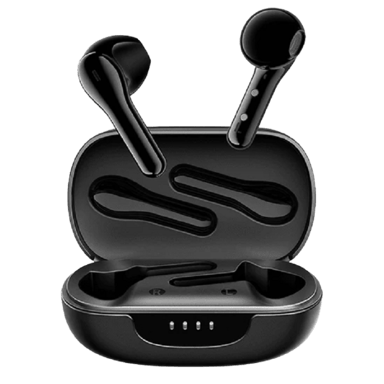

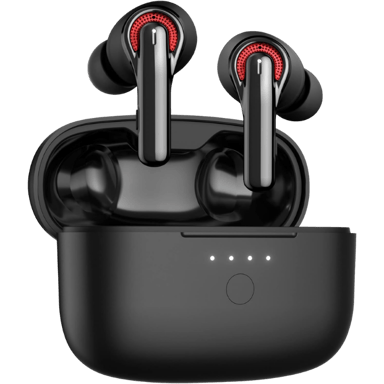
 Recaptor